Alerts
Alerts are actions that are performed when a specific condition is met. To access the alerts, choose File – Alert Manager from the main menu:
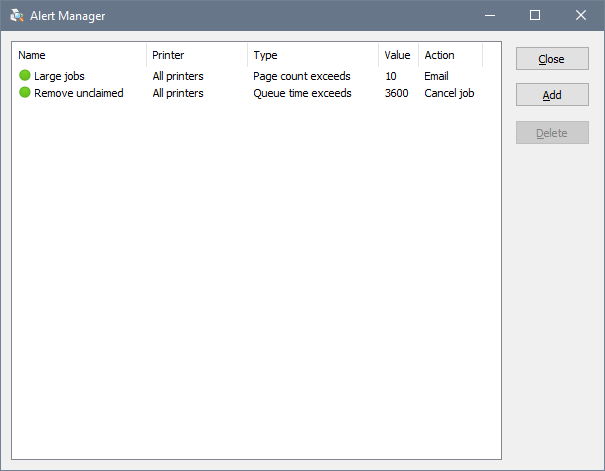
To create a new alert, click Add. To edit an existing alert, double-click it:
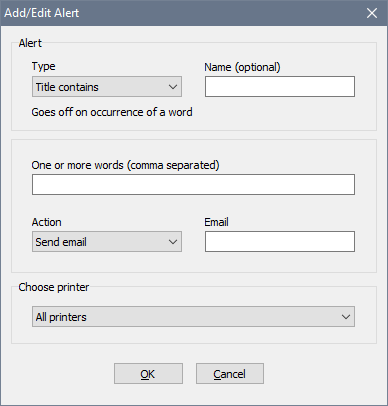
There are several types of alerts:
- Title contains is activated when a job title contains a specific word or text.
- Page count exceeds is activated when a job contains more than a specified number of pages, and can be used to notify the administrator of a large printed document.
- Queue time exceeds is activated when a job has been in the queue for a long period of time, and can be used to notify the administrator of a jammed printer or to remove unclaimed jobs.
- Submitted by user is activated when a job is submitted by a user whose name is specified in the alert.
- Submitted by computer is activated when a job is originated from a computer whose name is specified in the alert.
Once an alert is activated, the software can do one of the following:
- Send email. To send emails, you need to specify your SMTP server details in the global settings.
- Launch application. The application will be launched from a system account on a separate desktop, so make sure it requires no user input or it will stall.
- Cancel job. A job that activated the alert will be deleted from the queue. If it cannot be deleted for some reason, a message will be written in the event log.