Introduction to Print Inspector
Print Inspector is designed to be used on print servers in small to medium organisations wherever there is a need for print management and auditing. A typical installation diagram below shows Print Inspector installed on a single print server in a small network so that any jobs sent to the printer from client computers are monitored:
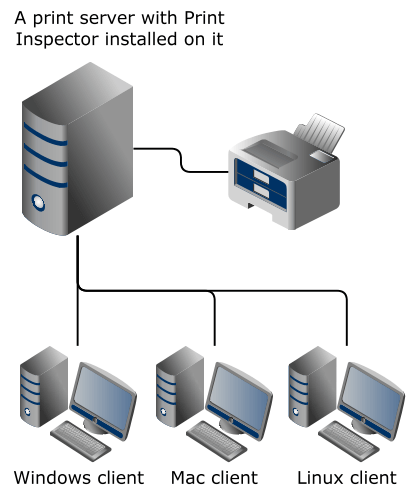
The Print Inspector software consists of two components:
- Monitoring service is installed on a Windows-based print server with printers attached. In some cases, where there is no print server, it can also be installed on a workstation that has a printer is attached to it. The monitoring service starts upon the system boot and records printing activity on the selected printers, even if no user is logged on.
- Management console is installed either along with the printer monitoring service, or separately on a network administrator’s computer. It is used for configuring the monitoring service, viewing reports, setting up alerts, and other administrative tasks.
These components communicate via TCP port 8703. If you have trouble connecting to the monitoring service from the management console, make sure you have configured all firewalls to pass connections through this port.