Remote access to the interface
2 posts · Closed
I have BWM installed on a Windows 10 computer, which is bridging the Internet between the router and a switch that distributes Internet to my home LAN. I would like to access the BWM interface to control rules and check reports from time to time while I am away from home, as I travel a lot.
Could you please explain how to get access within the LAN and remotely?
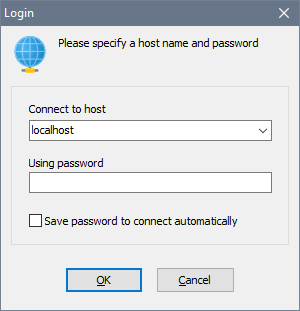
The Bandwidth Manager software uses standard TCP protocol on port 8701. To connect within the LAN, you simply need to put the LAN side IP address in the connection dialog.
To connect from outside, you would need to setup port forwarding on your router to direct incoming connections to port 8701 to the WAN side IP address. Then you would specify the router external IP address in the connection dialog:
Alternatively you can simply use something like TeamViewer. If you are using Bandwidth Manager bridging rather than Internet Connection Sharing, you may be unable to reach the LAN or the WAN side of the server itself, in which case please see this chapter on Bridging.