System tray rectangle not showing traffic
3 posts · Closed
Perry Guest
I have four Windows 10 PCs. On two of them, I see a rectangle in the system tray with the upstream/downstream traffic, but the other two show only the application icon. How do I get those to show upstream/downstream traffic as well?
Thanks.
Ann SoftPerfect
Generally, for the real-time bandwidth information in the taskbar:
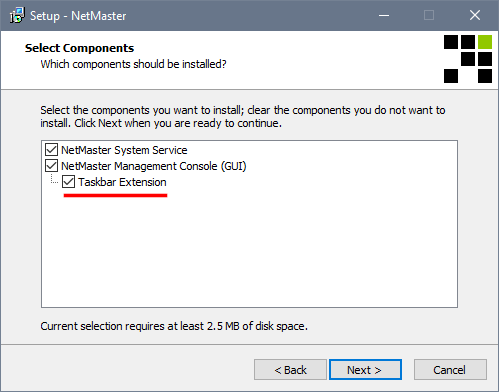
- The NetGenius Taskbar Extension must be selected during the installation.
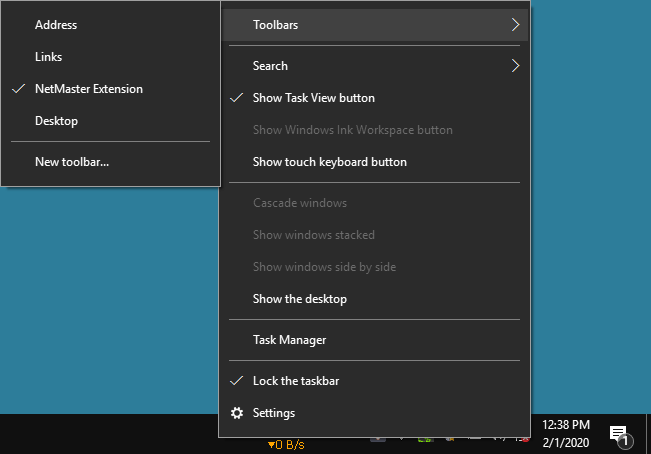
- The installer attempts to enable the extension automatically. If that fails, it can be enabled manually by right-clicking an empty space on the taskbar and choosing Toolbars - NetGenius Extension.
Please see the screen shots below for details:
Perry Guest
Excellent! Thanks for your help.
This topic is closed.
It has had no new posts for over a year, so the software versions it talks about may be out of date.
Start a new topic in NetGenius if you have a similar question.