How to filter out the usage data for selected applications
3 posts · Closed
I am using NetGenius and I need to be able to see totals, much like in the Usage report page. Problem is, I can't filter out the applications I don't want to see.
Also, I need to see the usage data on the main screen instead of opening another window. And I need to be able to "reset" the usage for a selected application.
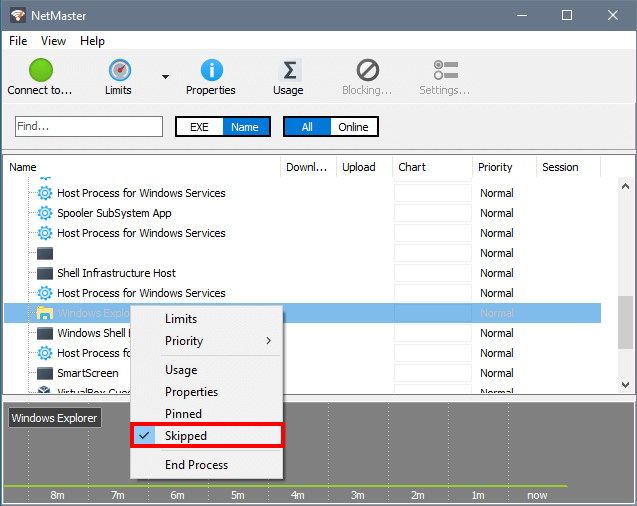
We have just published a new build where we added a new menu item that allows the user to exclude certain processes from monitoring. The skipped process will still be shown in the list of active processes, but will not contribute to charts and usage records.
Regarding your other requests, such as resetting specific application usage or having the usage data on the main screen, I am afraid we decided not to implement them, as only few users will benefit from that, while we would prefer to keep the product as simple as possible.
Thanks, I'll have a look.