How to remove Double reverse lookup column
2 posts · Closed
Hilton Guest
I was poking around and now I have a column I want to remove: "Double reverse lookup". I am not sure what I checked to turn this on.
Ann SoftPerfect
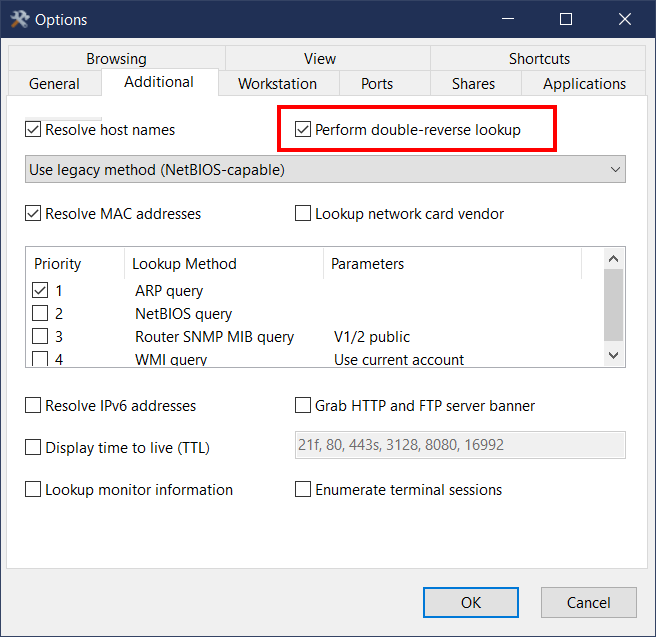
To turn Double Reverse Lookup off, you need to go to Options - Additional tab, and uncheck Perform double-reverse lookup.
This topic is closed.
It has had no new posts for over a year, so the software versions it talks about may be out of date.
Start a new topic in Network Scanner if you have a similar question.