Remote SNMPv3 scripting user missing
2 posts · Closed
Rainer Kraft Guest
I have a problem with remote SNMPv3 scripting.
I can set
Query.V3Security	SNMPv3 security mode string: NoAuthNoPriv, AuthNoPriv or AuthPriv.
Query.V3AuthMode	SNMPv3 authentication algorithm string: MD5 or SHA1.
Query.V3PrivMode	SNMPv3 privacy algorithm string: DES, 3DES or AES.
Query.V3AuthPass	SVMPv3 authentication password string.
Query.V3PrivPass	SNMPv3 privacy password string.
but the user is missing.
Is there a list of all object classes?
Andrew SoftPerfect
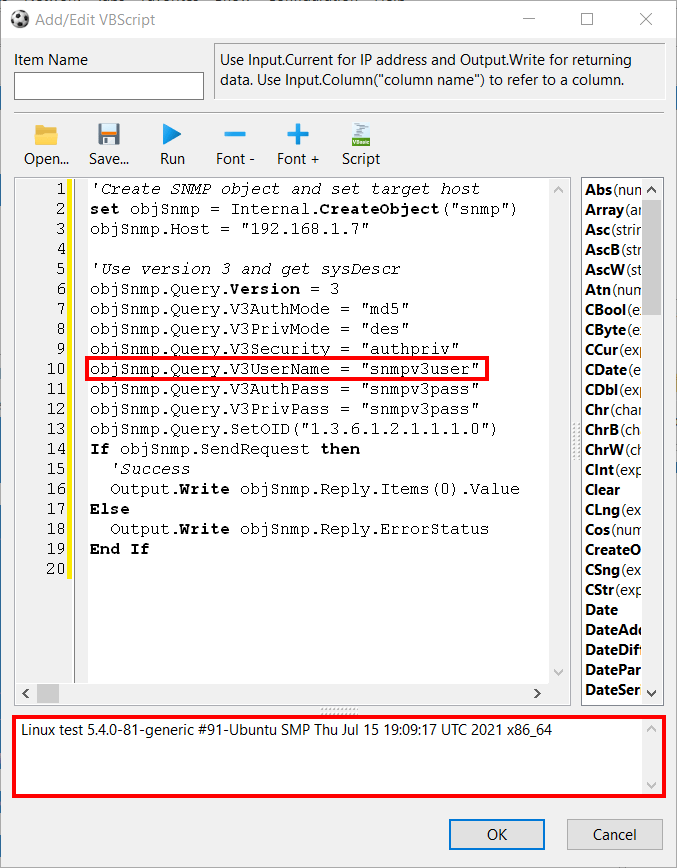
Somehow the user name property was indeed missing. We have just added it into the application and the docs.
Please download the latest build and you should be able to specify a user name like this:
'Create SNMP object and set target host
set objSnmp = Internal.CreateObject("snmp")
objSnmp.Host = "x.x.x.x"

'Use version 3 and get sysDescr
objSnmp.Query.Version = 3
objSnmp.Query.V3AuthMode = "md5"
objSnmp.Query.V3PrivMode = "des"
objSnmp.Query.V3Security = "authpriv"
objSnmp.Query.V3UserName = "snmpv3user"
objSnmp.Query.V3AuthPass = "snmpv3pass"
objSnmp.Query.V3PrivPass = "snmpv3pass"
objSnmp.Query.SetOID("1.3.6.1.2.1.1.1.0")
If objSnmp.SendRequest then
	'Success
	Output.Write objSnmp.Reply.Items(0).Value
End If
This topic is closed.
It has had no new posts for over a year, so the software versions it talks about may be out of date.
Start a new topic in Network Scanner if you have a similar question.