Ports 80 and 8080 showing for non-existent devices
2 posts · Closed
Hi,
I'm using SoftPerfect Network Scanner and I'm wondering why ports 80 and 8080 always show up in the scan for devices that don't exist?
For example, I know for sure that devices with IPs 10.20.157.10, 10.20.157.19, 10.20.157.20 and 10.20.157.30 are the only devices existing in this network. And in the scan results, these are the only devices that have other ports besides 80 and 8080 displayed in the TCP Ports column.
However, the scan results list is also filled with entries for the remaining addresses 10.20.157.X, all showing just "80, 8080" in the TCP Ports column for each of them.
The scan is performed through a Cisco AnyConnect connection to one of our customers.
This would be because your computer with Network Scanner is outside the current subnet; that is, not in 10.20.157.x. In such case, the default gateway responds to every ARP request with its own address and routes connections through itself, which confuses the software.
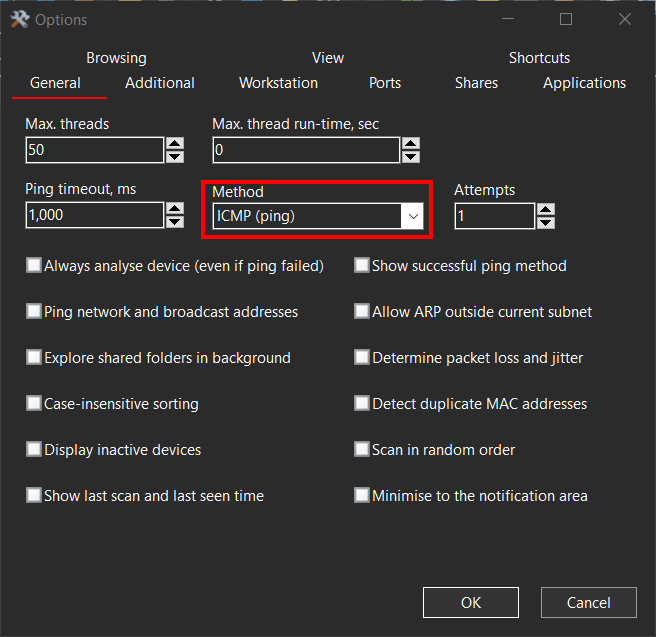
Try setting the ping method to ICMP only on the General tab in Options. This should eliminate all those "ghost" devices.