Incorrect OS versions shown in OS column
2 posts · Closed
Martin Guest
Windows 11 is shown as Windows 10 in the OS column.
And Windows Server 2019 and 2022 are shown as Windows Server 2016.
Ann SoftPerfect
That scan uses an old API that can't fetch build number. Which means that for anything after Windows 10 it cannot determine what OS it is. Because they all have version 10.0 while the build number is not available in this API.
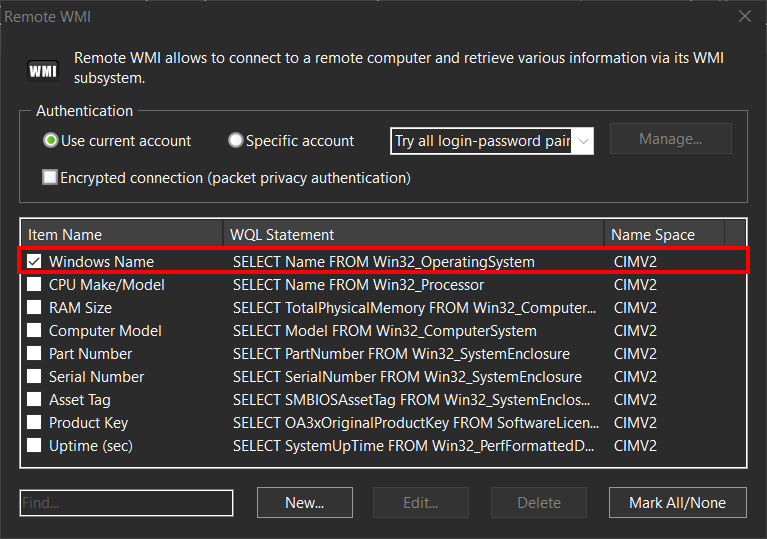
You can instead use the Windows Name option in Remote WMI, as shown below. It should work correctly for any Windows version.
This topic is closed.
It has had no new posts for over a year, so the software versions it talks about may be out of date.
Start a new topic in Network Scanner if you have a similar question.