Reuse credentials from Windows Credential Manager
7 posts · Closed
Hi. Is there any possibility to reuse credentials from the credential manager in the application definitions? For example, by using psexec with -u and -p with the user already defined in the credential manager.
Thanks
At the moment there is no way to do that.
As the credential list may contain multiple items with the same user name or comment, it would be complicated to specify which login-password pair you want to use.
Unless you can think of a better idea on how to specify a login-password pair to use?
Hi Andrew, thanks for your response.
Do you have this credential manager data indexed in any form? Any kind of array? Maybe assign a variable?
Each credential manager entry has a GUID like {37086fc7-b911-47ba-a0cd-5ee0170a5aac}. That's how they are identified, but it's far from being user-friendly.
Instead we have added a new field called Tag that can be assigned to any login-password pair. Then this tag can be used to refer to the user name or password of the tagged entry. Here is how to use it:
Add a tag:
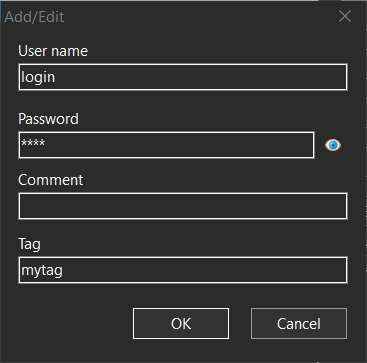
Then add a variable referring to the tag:
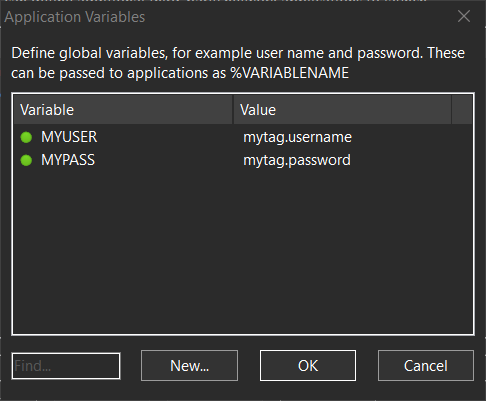
Finally you can use the variables to access the name and password:
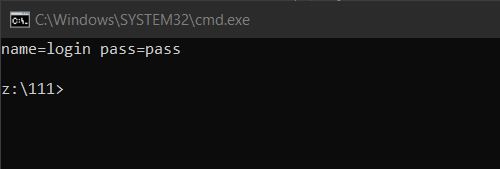
cmd.exe /k echo name=%MYUSER pass=%MYPASS
This should print the user name and password of the credential entry with the tag:
Thanks!!! Excellent new feature!!!
Is it posible to have an option to determine what to show in the first Credential Manager window, before the editor window, or at least have the Tag displayed? Or a choice to pick what to display or the order. Maybe some columns and the option to sort the rows?
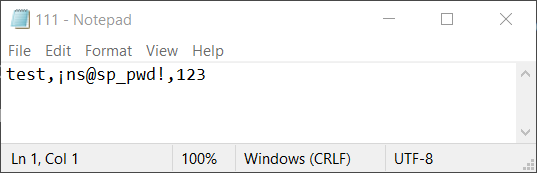
Can you please check the credentials exports option because it did not show the new Tag column in the CSV file. And I notice that for passwords that use the following:
¡
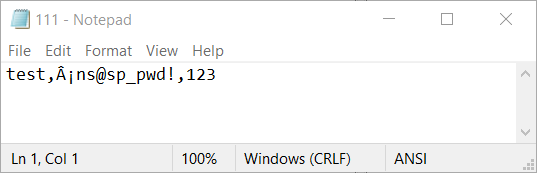
the export append an  to that exclamation character.
Example:
Original password: ¡ns@sp_pwd!
CSV exported file result password: ¡ns@sp_pwd!
Good idea, we have just updated the credential manager to be multi-column. We have also fixed the tag not included in CSV export. The latest builds can be downloaded here.
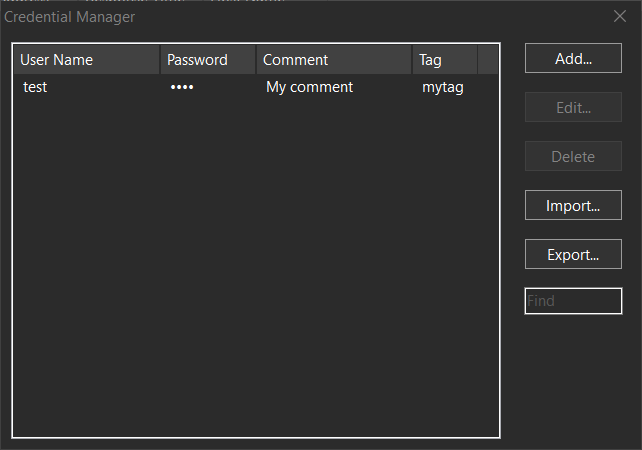
However, appending  to ¡ is not really a bug. The file is written in UTF-8 without a BOM preamble. Your text editor probably thinks the file is ANSI-encoded, but it's not.
Here is what happens if the file is opened as ANSI:
Here is what happens if the file is opened as UTF-8: