Scan for files within a logged-on user profile
2 posts · Closed
Hello,
Is it possible to scan for files within the profile of a logged-on user?
Example for Remote Files:
C:\User\%username%\appdata\Roaming\file.txt
The "Logged User" is already present in the scanner. Any way to utilize it to scan for a file in that user profile?
Thanks!
Ben
Yes, it is possible to scan for files within the profile of a logged-on user.
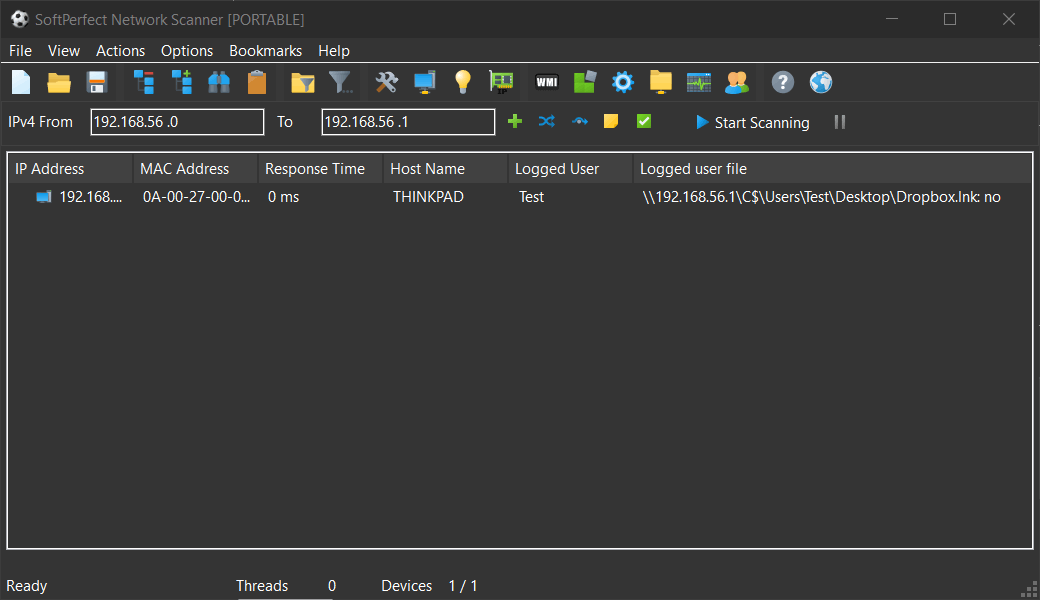
You can slightly modify the script under Options - Remote Scripting - Check each user shortcut. That script takes user names from another column and then verifies the existence of a file. You could simply change the source column name to "Logged User" and modify the rest of the script to suit your requirements.
For your reference, below is the sample script and the output it provides:
'Get values from "Logged User" column
strAccounts = Input.Column("logged user")

'Get target computer address
strComputer = "\\" & Input.Current

'Split comma-separated users string
For each user in split(strAccounts, ",")
  user = trim(user)
  Set fso = CreateObject("Scripting.FileSystemObject")

  'Build path string
  strPath = strComputer & "\C$\Users\" & user & "\Desktop\Dropbox.lnk"

  'Check file existence
  If fso.FileExists(strPath) Then
    Output.Write strPath & ": yes"
  Else
    Output.Write strPath & ": no"
  End If
Next