Dark mode checkbox disabled in Linux v8.1.7
2 posts · Closed
Steven Guest
Hello,
In v8.1.7 for Linux, it appears that the dark mode checkbox under the View tab is disabled (greyed out). Is there something I'm overlooking?
My operating system: Kubuntu 22.04
Thanks,
Steve
Ann SoftPerfect
The dark mode checkbox is enabled only in the Windows version of Network Scanner.
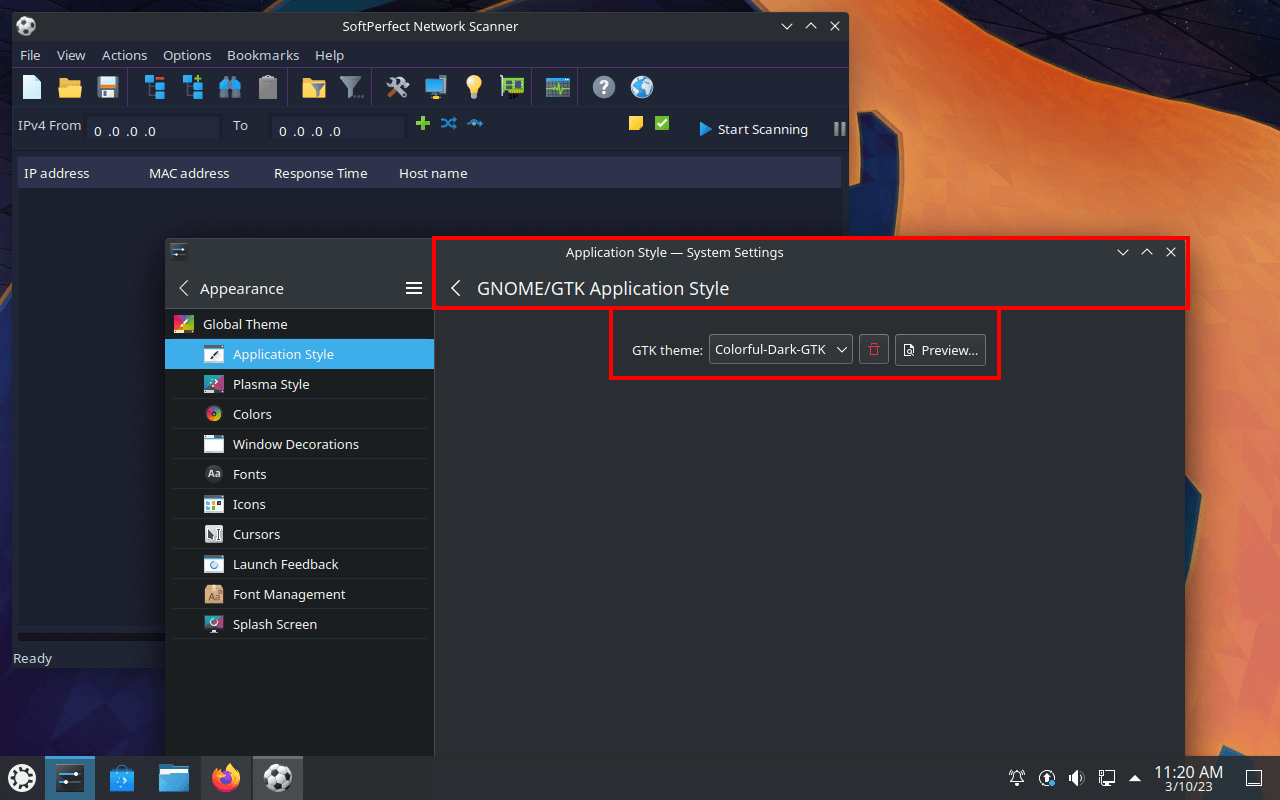
On Linux it will use the current GTK theme. You can simply go to Settings - Application Style - Gnome Application Style (GTK) - Get new themes and install any dark theme that you like. Then restart Network Scanner and it should pick up that theme:
This topic is closed.
It has had no new posts for over a year, so the software versions it talks about may be out of date.
Start a new topic in Network Scanner if you have a similar question.