Display IPv6 addresses in the scan results list
6 posts · Closed
Hello,
I'd like to see the IPv6 addresses in the main window, in the list with the scan results. How can I do that?
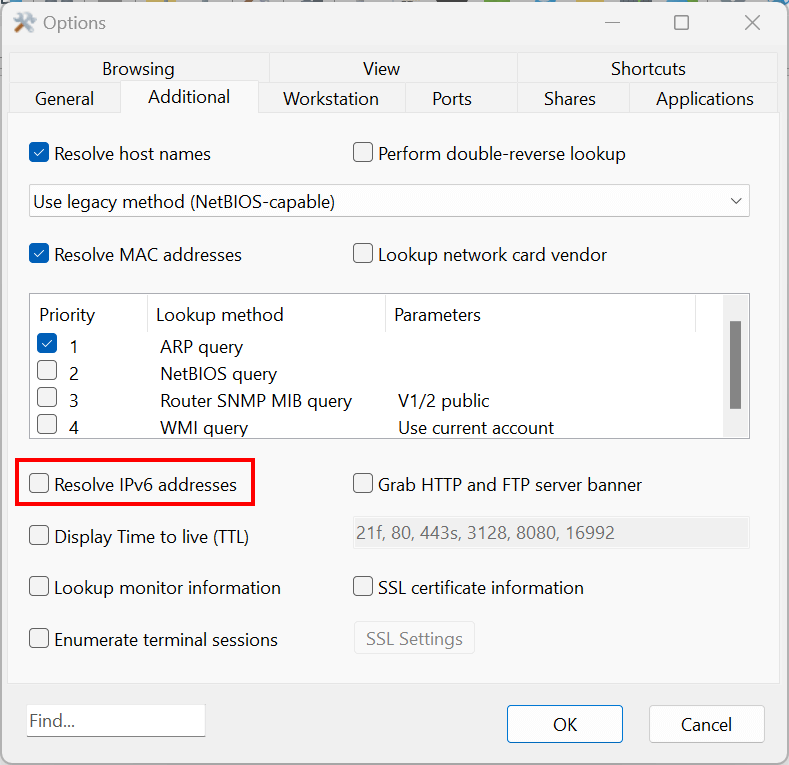
To get IPv6 addresses, simply enable the "Resolve IPv6 addresses" option in menu Options - Additional tab:
Thank you for the quick reply.
I now get some IPv6 addresses displayed, but not many. Do you have any idea why this could be?
It is an environment with Windows 2022, 2016, 10, 11, etc.
Best regards
Thank you for your feedback.
We have reviewed the implementation of the IPv6 lookup and found that it could be further improved by utilising reverse domain name lookup and mDNS to resolve more IPv6 addresses.
Please try the latest build and let us know how it works for you.
Thank you very much. There are now more IPv6 addresses, but many are still missing.
As far as we know, there is no universally effective method to discover the IPv6 addresses of IPv4 devices.
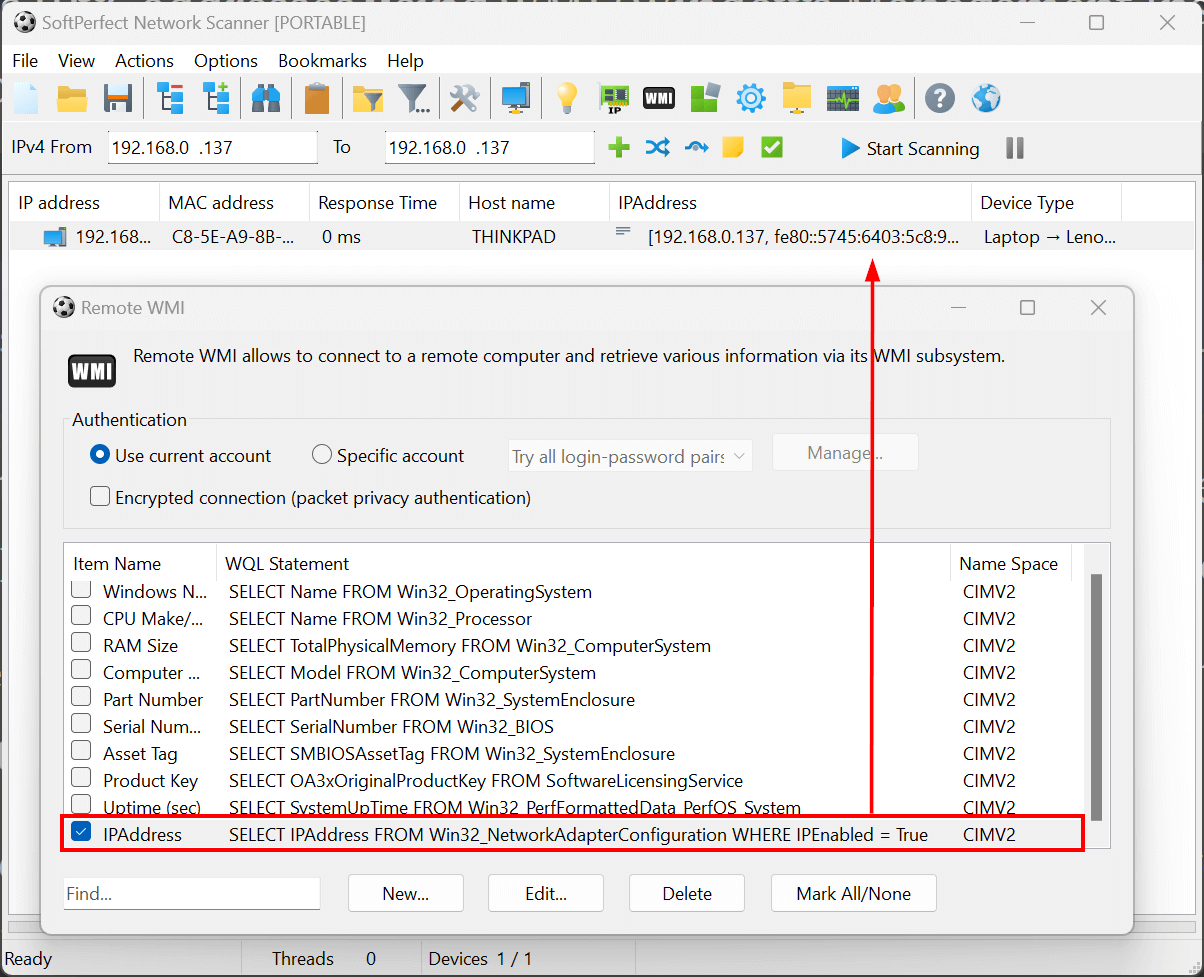
If your machines are running Windows and are part of the domain, you can connect to them via WMI to extract IPv6 addresses: