Inactive devices still displayed when option is unchecked
2 posts · Closed
I have the general option "Display Inactive Devices" unchecked, but it still displays inactive devices. I am scanning a different subnet (with router MIB data) if that makes a difference.
This issue typically arises because the Network Scanner sends out ARP requests to identify devices' MAC addresses and verify their online status. However, when scanning across subnets, the router often responds to all ARP requests with its own MAC address, which can lead to the software mistakenly displaying inactive devices as active. This may result in all IP addresses appearing online, even if they aren't assigned.
Try setting the ping method to "ICMP only" instead of "Both ICMP and ARP." This can help resolve the issue.
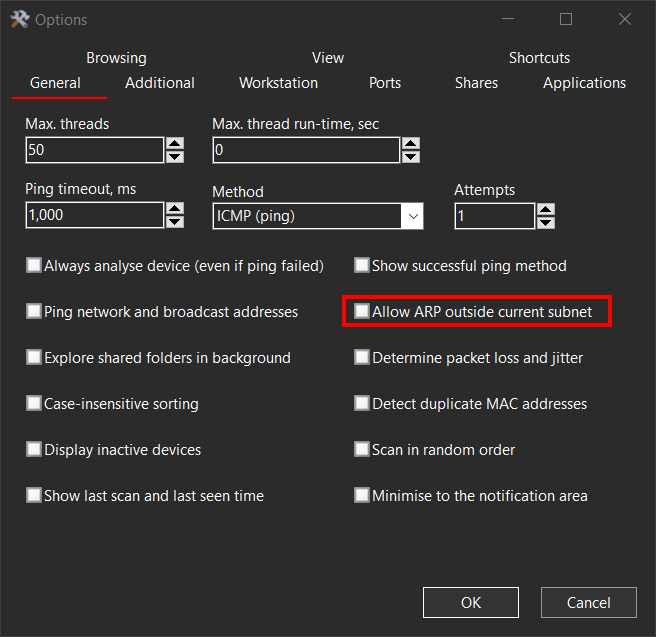
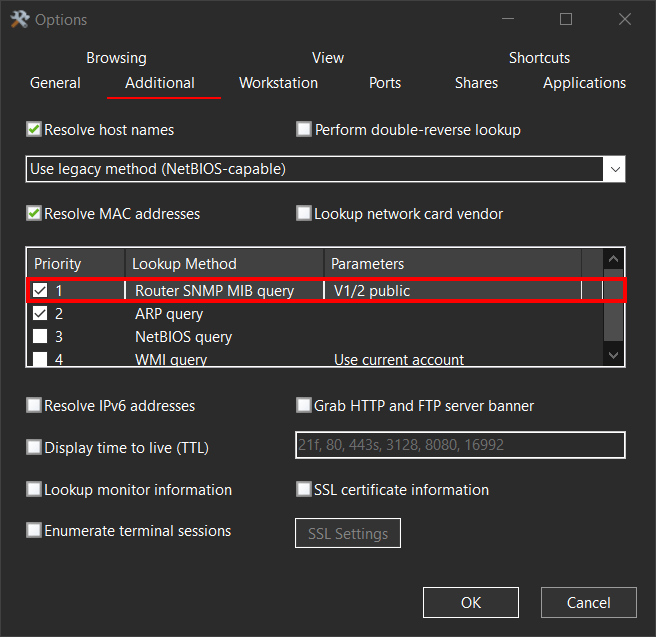
Additionally, depending on the version you are using, consider these two settings:
- Options - General: Ensure that "Allow ARP outside current subnet" is unchecked.
- Options - Additional: Move "Router SNMP MIB query" up in the list to prioritize it over ARP requests.