How to use the Friendly Names feature correctly
2 posts · Closed
Orell Guest
I'd like to know how to use the Friendly Names feature correctly. My aim is to store all the friendly names associated with MAC addresses.
Thank you for your help.
Ann SoftPerfect
Step 1
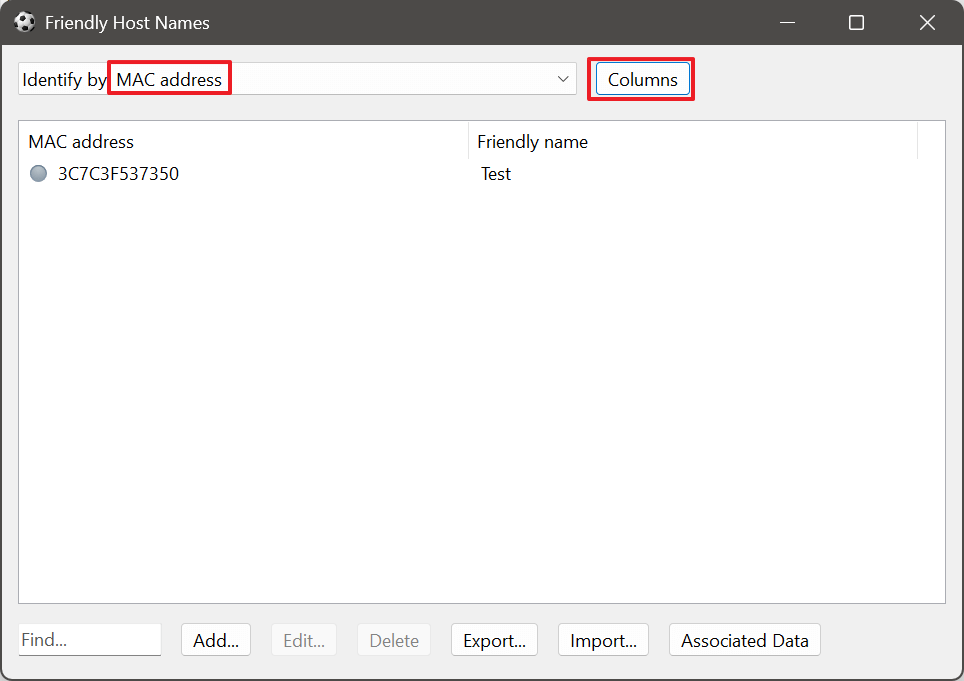
Go to Network Scanner menu Options and open the Friendly Names / Comments item. Select Identify by, then Columns, and then MAC Address.
Step 2
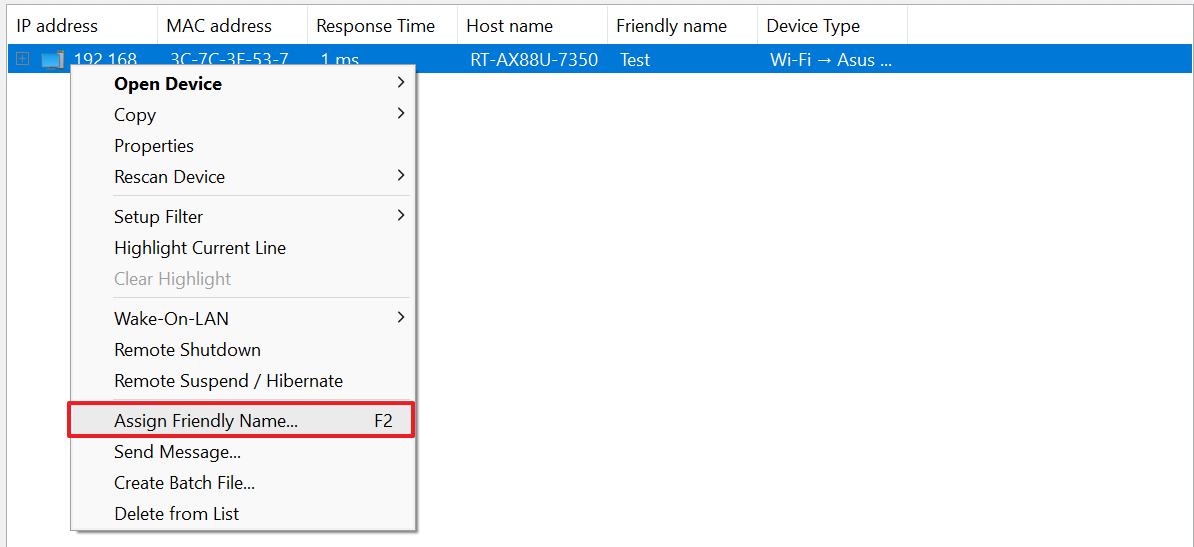
In the main Network Scanner view, right-click a device to open its context menu (or press F2) to assign a friendly name to any MAC address by using Assign Friendly Name item.
This topic is closed.
It has had no new posts for over a year, so the software versions it talks about may be out of date.
Start a new topic in Network Scanner if you have a similar question.