CSV export uses comma for both values and columns
2 posts · Closed
Hi,
When exporting scan results to CSV, values AND columns are both separated by using a comma. This throws off data in Excel tables.
Would it be possible to use a different separator for values and columns? Or at least move the "shared resources" to be last on the report.
Here's my [[CSV export]]. It could very well be my lack of Excel competence.
I open the file in Excel, select the first column, then go to the data tab -> Convert text to columns, then select Delimited. From there it goes wrong for me.
It appears there is a mismatch between what Microsoft Excel expects in a CSV file and what it actually encounters. Although CSV stands for "Comma-Separated Values", there are commonly two types of delimiters used: commas and semicolons. In your case, Excel is likely configured to expect semicolons.
To resolve this:
- Open Network Scanner and go to Settings - View tab.
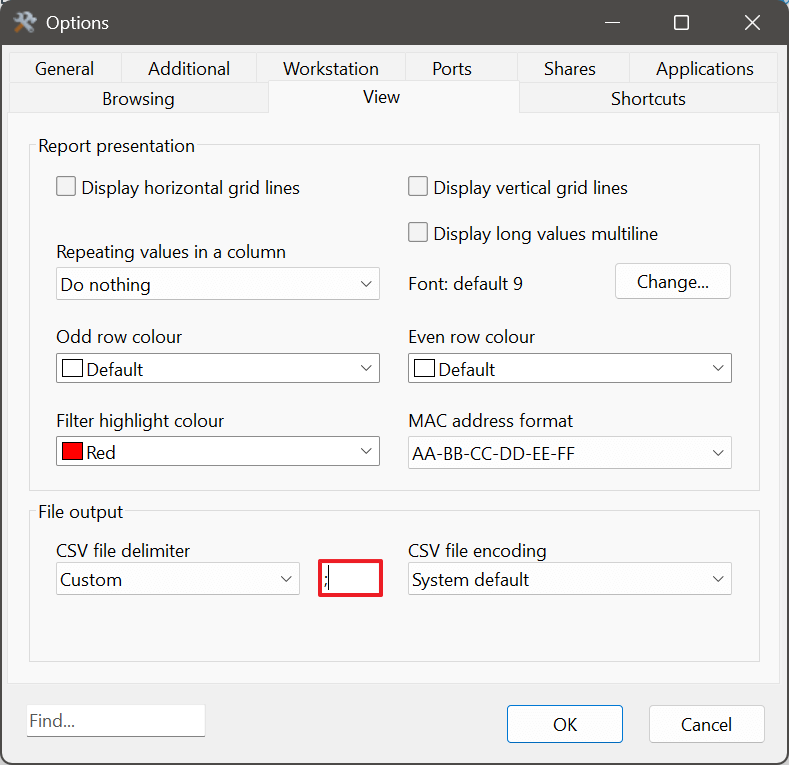
- In the File Output section, for the CSV file delimiter setting, choose Custom and enter a semicolon (;), as shown below.
- Apply the settings and resave your data as a CSV file.
Once done, you should be able to open the file directly in Excel without needing to use the 'Text to Columns' feature.
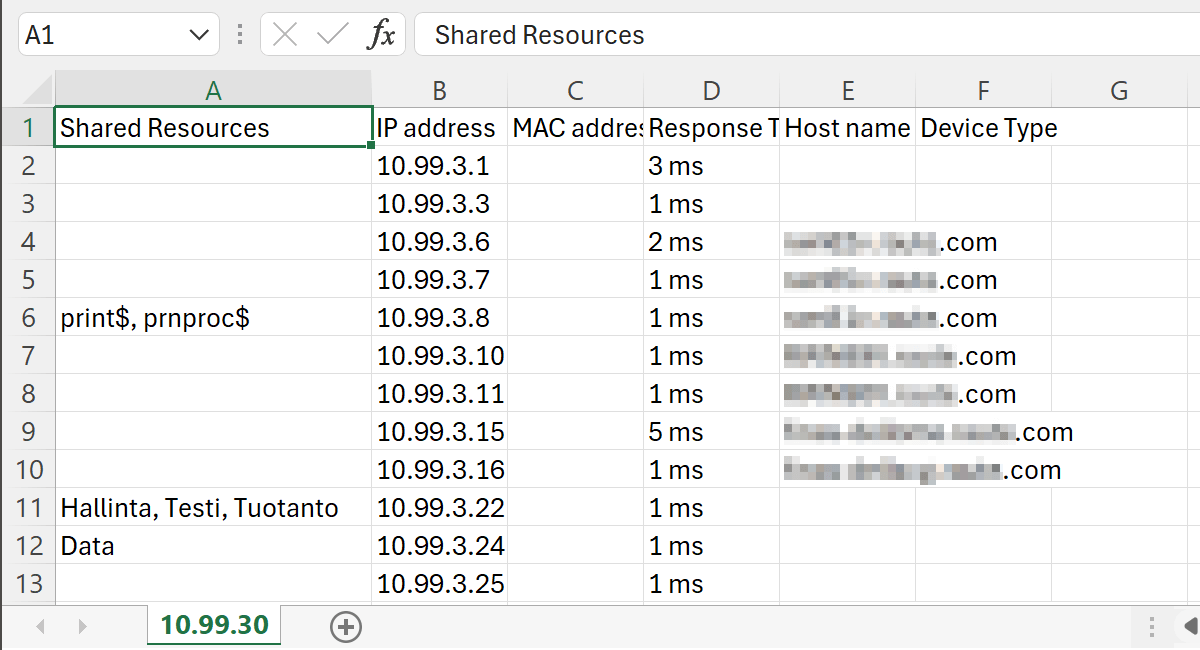
Here is an example using your CSV file. Everything is displayed correctly in Excel: