Max thread run-time differences in version 25.9
3 posts
I upgraded from the old freeware version to the latest 25.9 not so long ago. It's just an amazing scanner for me, a daily tool :-)
In version 6.1.7 I always had the Max thread run-time at 3 sec, which improved scanning on several networks and it became the default setting throughout the years.
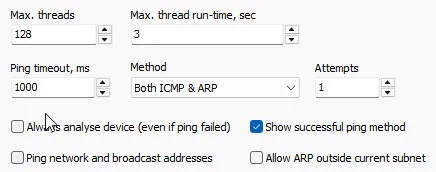
In version 25.9, however, this results in missing several MAC addresses (almost all). I need to set it to 7 seconds or so to get them back. But now it also takes longer to get the results back. In v.6.1, the MAC addresses/friendly names were there basically instantly together with the ICMP reply. This is not the case in the newer version. I tried disabling as much as possible and compared all settings, but it doesn't seem to speed up the newer version.
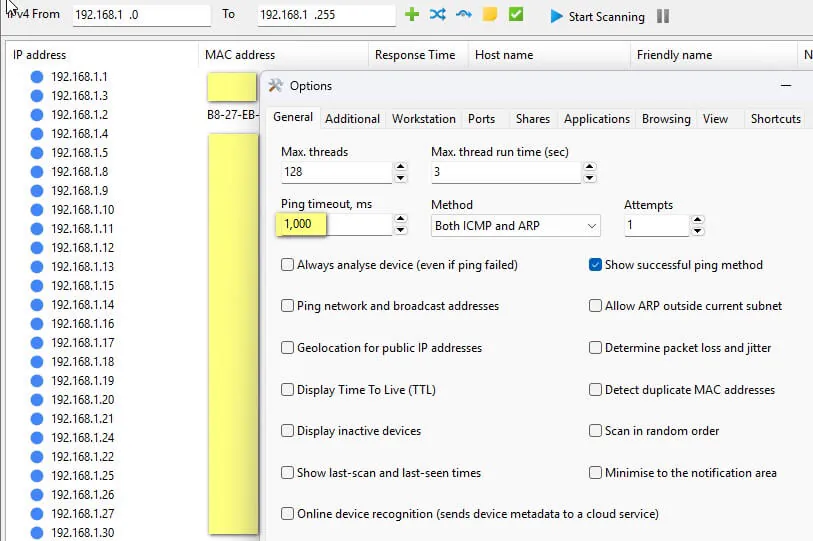
I tried increasing the ping timeout, which now seems 1.0msec (highlighted in yellow) instead of the former 1000msec, but I guess that's only visualization.
Is this the intended behavior? I don't understand why in the older version the MAC addresses were shown instantly while on the newer one they don't.
Thanks.
B.
If you are scanning the current subnet, make sure the ARP query lookup method is enabled under Resolve MAC addresses on the Additional tab.
Also, try enabling the Allow ARP outside current subnet option on the General tab. Normally ARP requests are not sent outside the current subnet, but if your router runs proxy ARP or forwards ARP requests and responses, this option may help detect more devices and their MAC addresses. In older versions, scanning outside the current subnet might have seemed to work, but the results might have been incorrect due to certain technical limitations.
Regarding the ping timeout display: the 1,000 ms notation uses a comma as the thousand separator, meaning 1000 milliseconds (1 second). So it's the same value, just displayed differently.
As for why the behaviour has changed between v6.x and the current releases, it's difficult to pinpoint exactly since substantial code refactoring has occurred over the years. However, I'd recommend reconsidering the max thread run-time setting altogether. When enabled, the scanner tries to gracefully abort pending operations first, but if that fails, it force-terminates threads, which can leak memory and cause other stability issues.
If you want faster scans, a better approach is to disable the scanning options you don't need. Specifically:
- Disable shared folder scanning (this is usually the bottleneck)
- Disable host name resolution
With these disabled, the scan will be streamlined to just a quick ping and MAC address lookup, which should complete very quickly without the overhead and potential issues of thread termination.
Hi,
I read your ARP suggestions in previous threads but double checked the ARP query lookup method which is enabled and tried both "Allow ARP outside current subnet options". Also to speed-up the scan I disabled the extras as suggested but that doesn't seem to influence the results.
Anything below 6sec max thread runtime fails several MAC addresses to show. Since basically the last scanned IPs almost always have their MAC address shown I tried scanning in random order which seems to improve the MAC resolving (screenshot).
Increasing the thread runtime and random order scanning yields consistent and correct results in my situation
I understand that since v6.x the program has come a long way which is basically a good thing :-)