Unable to save or open config file
6 posts · Closed
Dear team,
We have purchased a license of NetScan 7.13.
I am unable to save or open an existing config file. The error message is "Unable to write config: Assertion failure (G:\[Dev]\netscan\GUI.MainView.pas, line 3641)". Please refer to the attached and help resolving. I have this problem on Windows 2012 Server.
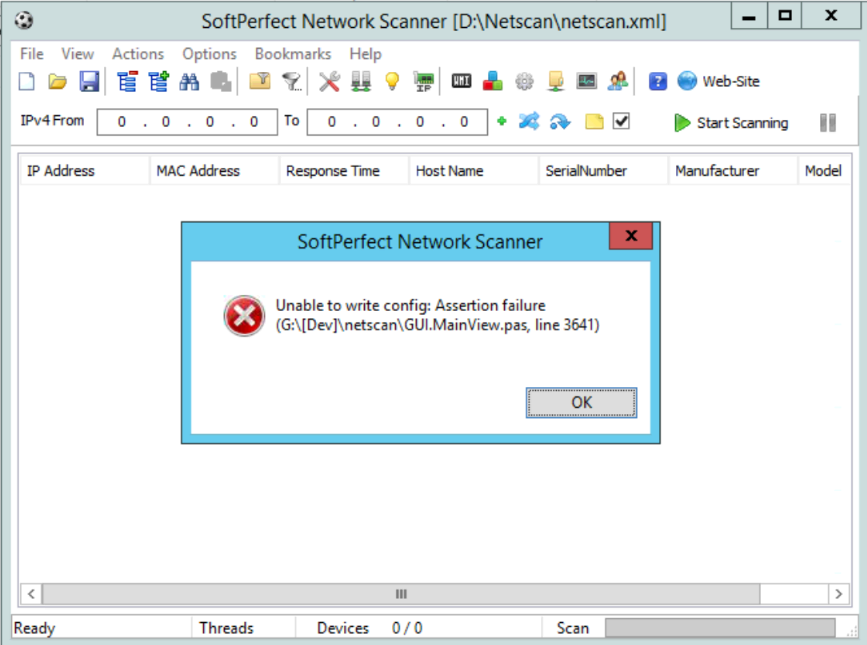
Thank you for reporting this issue. We've found what causes this and are working on a solution.
I will post an update here shortly.
We have resolved this issue in version 7.1.4, which can be downloaded from Network Scanner home page.
Basically this error occurs when a config file is shared between multiple instances of the application while at least one instance has non-standard column count. In other words, when one instance is launched with /maxcols:X to increase the number of columns, their configuration will be saved normally with X columns written, but other instances don't process this config file correctly.
Version 7.1.4 fixes the issue by disregarding extra columns in a config file, but we recommend to use the app with the same column count in each instance. If a higher column count is required, please launch all your instances with that count, e.g. netscan.exe /maxcols:20.
This explains some of the issues we are having. Each tech uses a different /maxcols:X and we all share configuration files, especially if someone figures out a new way to scan for something. Is there a way to add the /maxcols:X to the config files and eliminate the need for the command line switch? Or code it for 100 and then use the command line switch if you need something beyond that? Thoughts?
Yes, this makes sense - thank you. I guess something like this should work:
- Save the number of columns into a config file.
- When reading a config file, if it's present, create that number of columns.
- If it's not present, use the default number of columns as it is now.
Does this sound good?
Sounds great thanks. -WS