How to find out iDRAC firmware version
4 posts · Closed
Team,
Thanks for the wonderful tool.
I have a question: is it possible to find the remote servers' (nearly 100+) physical server iDRAC firmware version using netscan.exe?
Thanks in advance
We don't have any iDRAC devices on hand to check, but if they expose the firmware version to the web-management page, then yes - it's possible.
We found a couple of publicly accessible iDRAC devices: https://162.213.122.82, https://109.74.157.74. If yours look like one of these, try the following:
- Download the latest build of Network Scanner that supports HTTPS page extraction.
- Import the attached configuration file into that latest build.
- Go to Options - Remote XML and you will see the entry that extracts firmware version from the About page's HTML code.
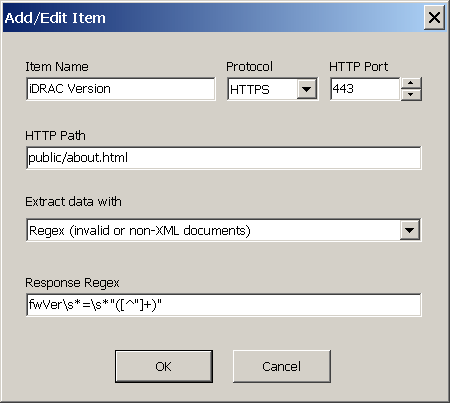
Wasn't the item already setup under the Remote XML options for iLO and iDRAC. If memory serves me?
EDIT: Opps I see XML now. Thought this was a pure HTML query.
There wasn't an entry and until the latest build only HTTP was supported, not HTTPS.
With the support of HTTPS if the iDRAC web-interface exposes its version, it can be retrieved and extracted with a regex as per above example.