Command line in Applications tab does not work
3 posts · Closed
sfareg Guest
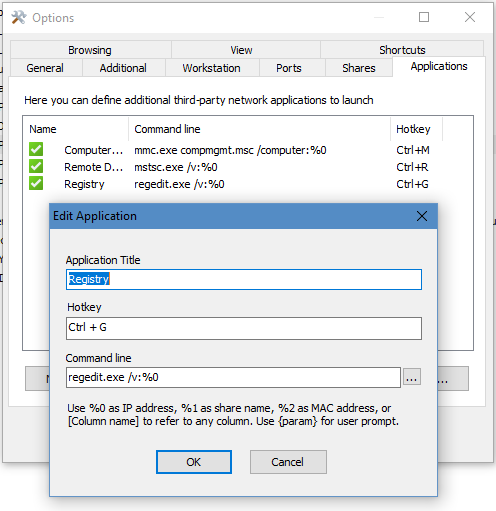
I added this command line at the Applications tab, but it does not work for me.
regedit.exe /v:%0
What should I add?
Andrew SoftPerfect
I don't believe regedit.exe supports any command-line parameter to pass a path even on the local computer.
There is a little utility from MS called RegJump, which lets you open a certain registry path in regedit, but it may not work with a network location.
If that's the case, you may have to use a third-party registry editor that supports remote registry and command-line parameters. This article overviews a few registry-editing tools and another few mentioned in the comments. Unfortunately I am not sure which tool supports the functionality you require.
sfareg Guest
Thanks for reply. I will do that
This topic is closed.
It has had no new posts for over a year, so the software versions it talks about may be out of date.
Start a new topic in Network Scanner if you have a similar question.