Unable to map network devices without plus symbol
2 posts · Closed
Hello :)
I recently downloaded a test version of your Network Scanner and need some help with the following issue:
I have several computers in my network, but I am only able to map 1 network device. All the other computers do not have the little "plus" symbol in front, so I am not able to open the file and map the device.
I really like your product so far and if we are able to solve that problem I would like to buy a license.
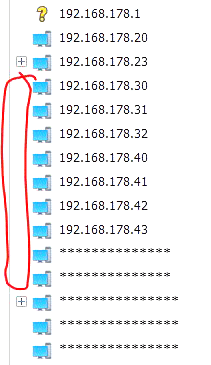
Without the [+] sign are either the devices that don't share any folders, or the ones that have been excluded.
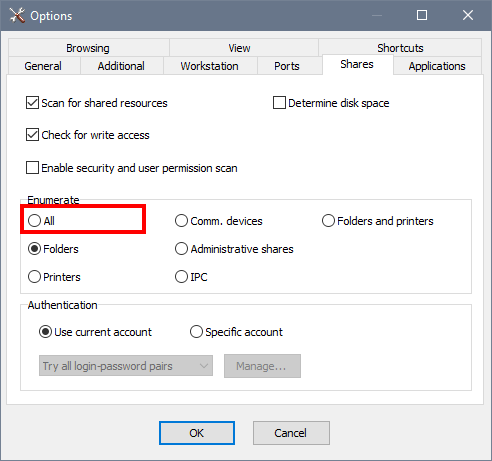
Try setting Options - Shares - Enumerate - All, as shown below.
If still no shared resources are displayed, try opening a command prompt and typing the following lines. This way you will be able to see what error occurs when attempting to enumerate shared resources.
net view \\192.168.178.23
net view \\192.168.178.20
net view \\192.168.178.30