Manually add information in the Host name column
4 posts · Closed
Angelo Guest
Is there a way to manually add information in the Host name column? So that every time I do a scan from a saved results file, the information I entered would appear. Thank you.
Andrew SoftPerfect
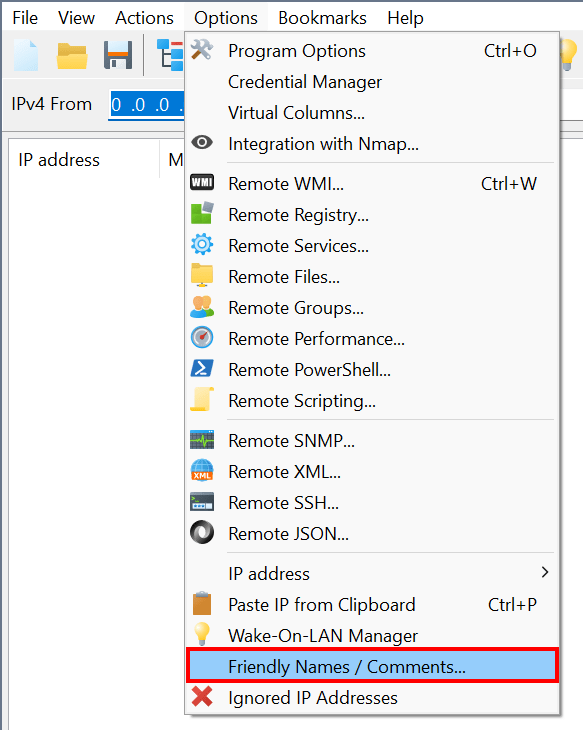
No, but there is a special column for custom tags or names. It is called Friendly names, see Options - Friendly Names / Comments in the main menu.
You can choose to associate custom names with IP addresses, MAC addresses, host names or a combination of these.
Daniel Guest
How do i add custom names and descriptions to ips? Cant find the Options you mentioned
Andrew SoftPerfect
It's exactly where the above message says. Click Options in the main menu, and there you will see the Friendly Names / Comments item.
This topic is closed.
It has had no new posts for over a year, so the software versions it talks about may be out of date.
Start a new topic in Network Scanner if you have a similar question.