Documentation for virtual column expression characters
3 posts · Closed
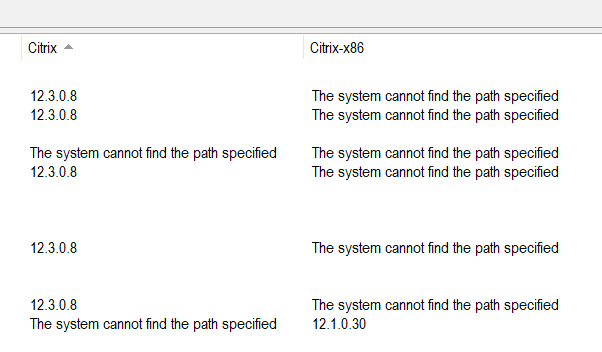
For the virtual columns, are there any docs on what the characters mean in the expression?
I am trying to create one column out of two. Depending on the row, one column has words and one column has numbers. I just want the numbers from either column in one virtual column.
Those are called regular expressions and can be quite difficult to master. Here is an article in Wikipedia about them.
In your case something like this should work. It will match any numbers and periods (decimal points):
([0-9.]+)
By the way, if your source column [Citrix] is a Remote File column that connects to shared folder and looks for a file's version, another way to combine the two columns into one would be to use a variable part in the path.
This way you could check both 32-bit and 64-bit locations at the same time, by listing them in brackets and separated by a vertical bar (as described in the 'Remote file, registry and services' chapter of the Network Scanner manual), e.g:
C:\\[Program Files|Program Files (x86)]\Citrix\citrix.exe
In this case, the Network Scanner will try two different paths listed below and proceed with the first valid one:
- C:\Program Files\Citrix\citrix.exe
- C:\Program Files (x86)\Citrix\citrix.exe
OMG that is even better with the variables! I should have looked harder
THANKS!