Friendly name mapping to custom columns
6 posts · Closed
If a new column is defined to show an additional IP that belongs to a network device, can the friendly name option be used to map to that new column?
At this moment, Friendly Names are designed to map just to host name, host IP, or host MAC. May we have other options, like mapping to other columns?
Unfortunately that's not possible at the moment. Only IP address, MAC address or the host name column can be used to assign a friendly name.
Still if the device has several IP addresses (or even MAC addresses) you can just give them the same nick name.
Hi. Happy New Year!!
Any change of status on this?
There are situations where none of the designated columns (IP, MAC, or Host Name) can be used. For example scanning Cisco voice phones ranges. Using XML and Regex the MACs and host names can be obtained, but without possibilities to map to a friendly name.
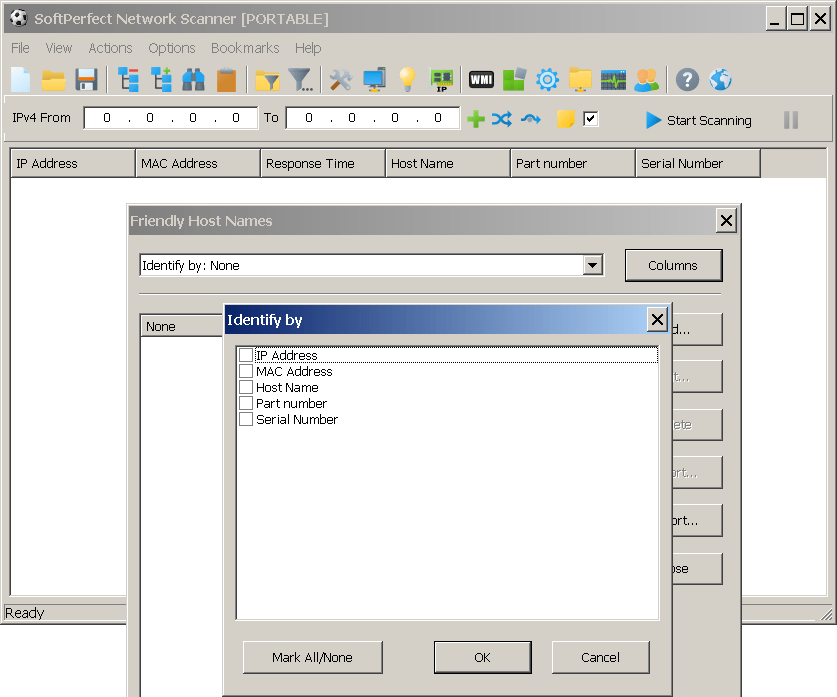
Added in the latest preliminary build. Now you can choose almost any set of columns to associate friendly names with.
Just a couple of things worth mentioning:
- It was a non-trivial change that affected a lot of code. Please report any bugs you find.
- Mapping column values to friendly names is done before applying regular expressions. In other words, regular expressions will have no effect on the mapping.
Here is what it looks like:
Hi Andrew, thanks for this new approach!!
For now I can't enjoy it because my phone scanning layout is based on pure virtual columns not available in the new scheme.
Actually there isn't any problem with including virtual columns. Please try the latest builds which should allow you to select virtual columns.