Quick filter input for options definitions
11 posts · Closed
Can you please add a quick filter input to the Options - Applications definition area? So that any desired entry can be instantly located to verify its existence and ease its modification.
A quick filter input like the one already implemented on Credential Manager window would be great, not just for Options - Applications, but in every other area of Options - Remote … - tools definitions like Remote WMI, Remote Registry, Remote Files, Remote Services, Remote Groups, etc. Also, on Virtual Columns and Visible Columns would be a great addition.
Thanks in advance.
Great idea, we have added a search box under Options - Applications, Virtual Columns, Nmap Integration and all of the Remote [...] tools.
It's more tricky with the visible columns due to its implementation though, so that's left for later. You can download the latest preliminary builds here.
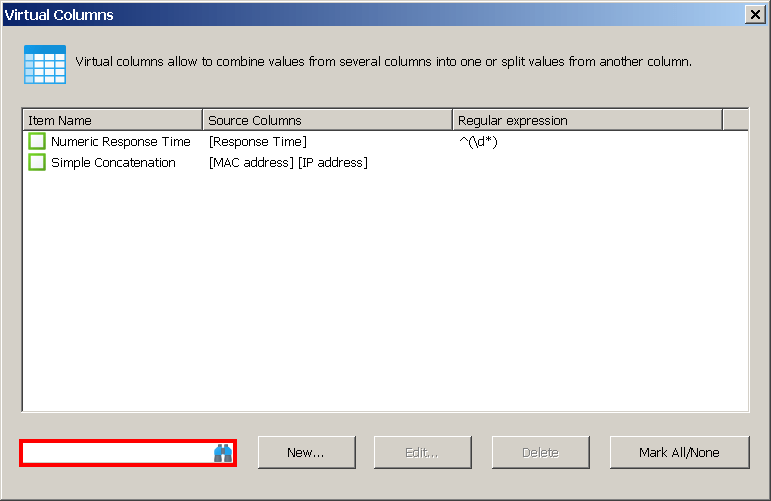
Hi Andrew,
Very useful. I haven't checked all implemented areas yet, but so far this is what I found: on Applications and on Remote WMI, apparently the quick filter is showing just a part of the correct info.
Example in the default configuration:
a) Search for %0 and it brings just one application definition and not the whole list
b) It did not allow to check-mark it
c) It did not allow to edit it because it brings the wrong one after pressing the edit button (the first one in the list without the filter applied).
I believe this does not happen on the credential manager implementation.
Thanks, indeed there were a few minor bugs. Please try the new builds published today.
Would it be possible to include the quick filter in the application variables where the global variables are defined, bookmarks management window, Friendly Host Names, Filters?
Sure, these new builds include quick filters under the bookmarks management window, friendly names and display filters.
We'll add it where the global variables are defined a bit later, as that code requires additional reworking.
Update: a quick filter has been added under Application Variables:
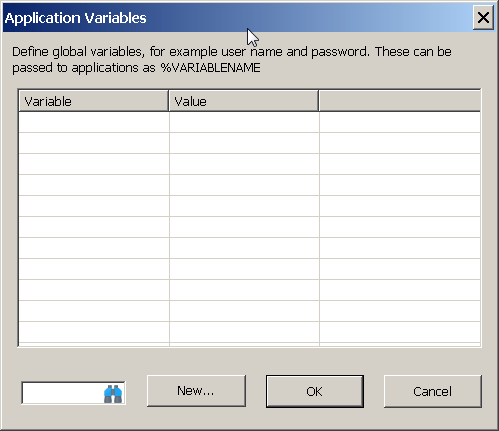
Hi Andrew,
Trying to delete an entry after a quick filter being applied throws a not found item error.
Example:
Quick filter - .bat (brings back everything with .bat; that works perfectly)
Then I chose one from the returned list and tried to delete that one with a mouse right click.
Error: Item not found.
Is this the case with the latest build? If so, in which quick filter does that happen?
Yes, with the last snapshot build. With the applications quick filter.
Thank you, that's indeed a bug. Please download the new build here.