Incomplete multi-clause filters when reusing favorites
8 posts · Closed
Hello,
This filtering tool really comes in handy. Any possibility to allow more than just favorites editing? Maybe modifications?
Something I have noticed about this topic is that when a previously configured multi-clause setup filter has to be reused, it presents just the first part of the clause.
Let's say a user set up, implemented successfully, and saved a configuration file with a multi-clause filter for [Operating System] containing "Windows 7" and [Host Name] containing "guest" as a favorite. Close NetScan to reopen it. Then try to reuse the filter configured in the past session. Search for it among those that are marked as favorites. Found it, but it appears just with the first clause, the one in front of the "and" (&). After selecting it (clicking over it), it also appears incomplete.
Any idea on how to display and use the whole filter?
That's a known issue with the filters. Basically when filters were first introduced, they were single-clause and so was the mechanism that manages them. Later on, the filters were expanded to multi-clause, but the managing mechanism essentially only works with single-clause filters.
Thanks for drawing our attention to this, we will probably redesign the filtering system to allow editing the filters and handle multi-clause ones. I will post an update here shortly.
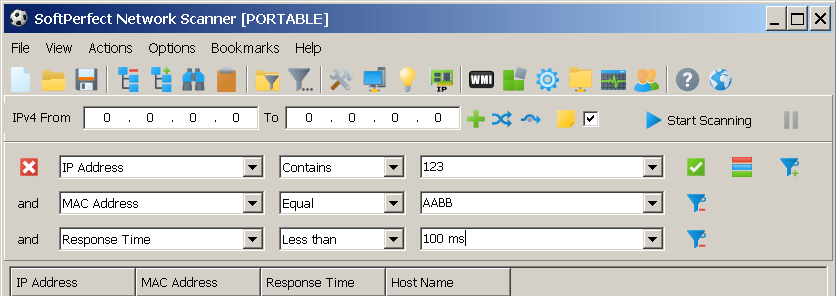
Update: we have reworked the filters, and multi-clause filters are now fully supported. They will also display nicely one per each line, as shown below. You can download the latest preliminary builds in try it. We will also add a way to edit stored filters in the future releases.
Hi Andrew,
I encountered strange behavior when trying to implement an "or" multiclause filter. Its seems like it is implementing it properly, but when saving to favorite list it changes to an "and".
If you open the filters window to mark it or choose whatever you want as favorite you would see it as an "and". But if you check it on the menu list of quick host filter you would see it right until you click Ok in Filters window.
That's indeed a bug, thanks. We've fixed it in the latest builds.
We will also add a way to edit stored filters in the future releases
Has this been implemented?
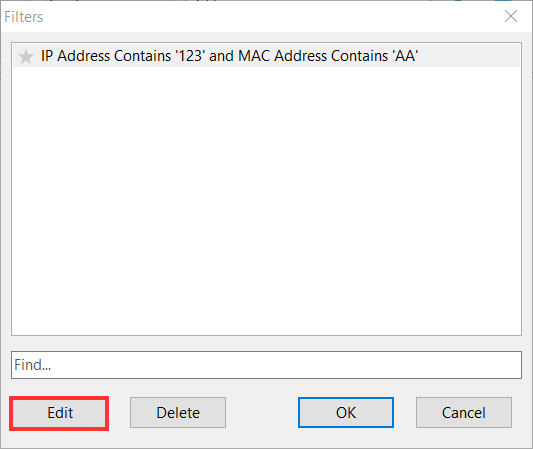
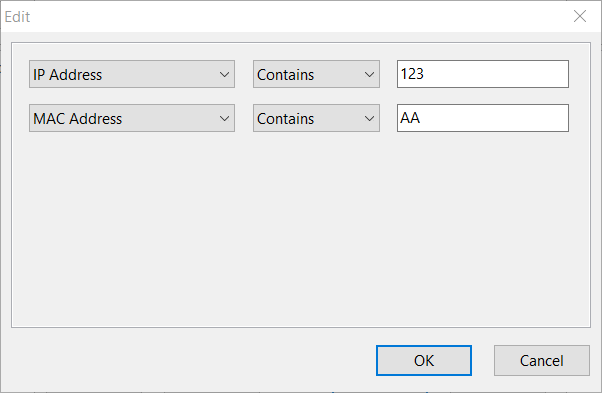
Wow...great! Many thanks for doing this eventually.