Easily choose the current network address range
3 posts · Closed
Andrew C. Guest
Hello.
I do wish that there was a way to easily choose the current network address range rather than having to enter it manually every time if it changes. Unless there is a way that I have not found...
Other than that limitation, I think Network Scanner is great.
Regards
Andrew
Ann SoftPerfect
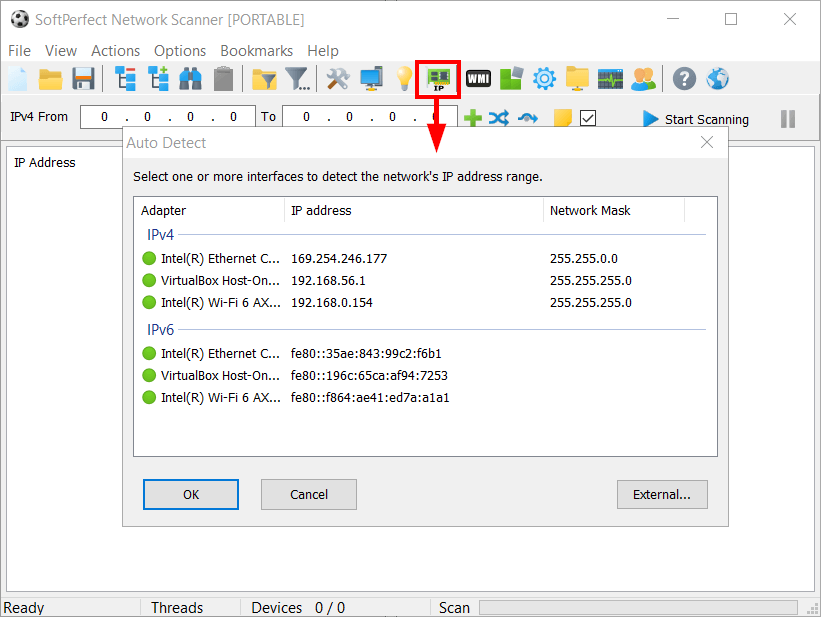
There is an easy way to choose the network range. Simply click the Automatically detect the network configuration button in the toolbar, select the required interface, click Ok and it will fill in the current network range.
MurMan
Launch it with the switch "/range:v4".
[PATH]\netscan.exe /range:v4
Netscan will open with the current IPv4 subnet in the scan range.
This topic is closed.
It has had no new posts for over a year, so the software versions it talks about may be out of date.
Start a new topic in Network Scanner if you have a similar question.