Duplicate users reported for a single PC
4 posts · Closed
Hello,
When using NetScanner, I saw that on one PC the network scanner reports one user 36 times, and one other user logged on. I checked and this happens to other computers too (it reports that same user is connected multiple times).
How does NetScanner determine who is logged in (disconnected, active) on a computer? How can I fix this?
Thanks
Network Scanner uses several methods to retrieve the list of current logged-on users, in this sequence:
- Calling a Windows function NetWkstaUserEnum. It lists information about all users currently logged on to the workstation. This list includes interactive, service and batch logons.
- If the above fails, a NetBIOS request is sent and logged-on user name is extracted from the response. This is similar to what NBTSTAT command does.
- If the above fails, a WMI request is sent in the form of SELECT UserName FROM Win32_ComputerSystem.
My best guess would be that in your case the first method succeeds, but since it includes non-interactive logons, it contains multiple instances of the same user. Here are the workarounds you can use:
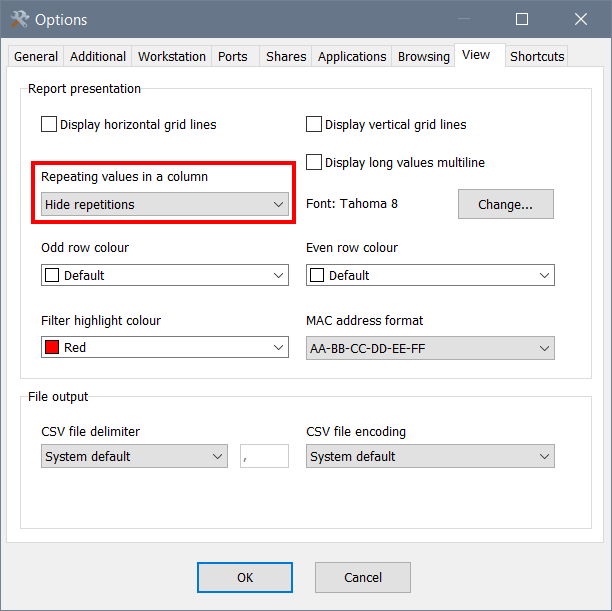
- You can hide the repeating names via Options - View - Repeating values in a column - Hide repetitions, as shown in the screen shot below; or
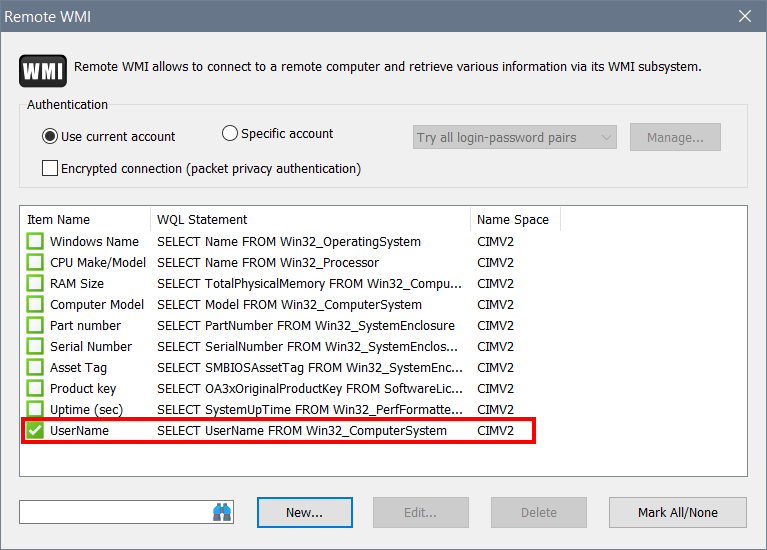
- Use the WMI method directly instead. For that go to Options - Remote WMI and add the following query, as shown in the second screen shot. It should display only interactive logons.
SELECT UserName FROM Win32_ComputerSystem
I have already tried the WMI and yes it works but returns null when logged on user returns 2 or more logged in. Some time back I had no issue like that. Looks like now all this non-interactive etc logons are displayed but actually don't exist.
For example I was on a computer, I checked everything and there was no other logon other that me, but logged on users reports lot of deployuser (this is my deploy app user that users to deploy software) and another user that was logged off this morning.
There is no single 100% working method. See for example this discussion on WMI.
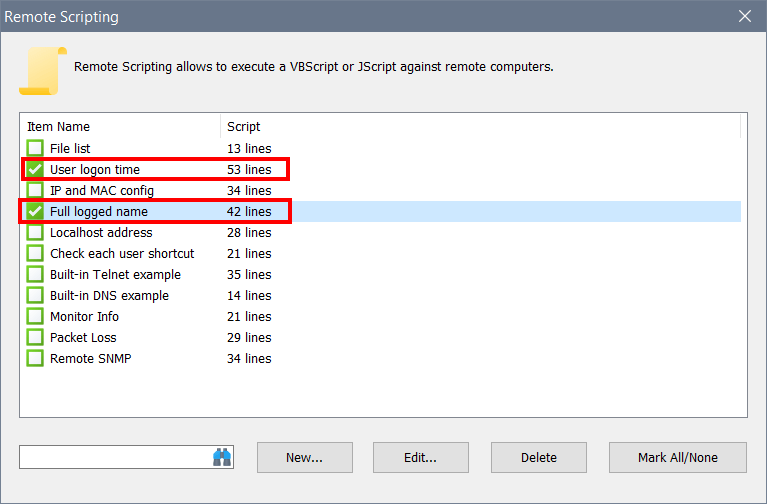
Network Scanner has a couple more features that can extract logged on users. These are in Options - Remote Scripting. One enumerates who is running explorer.exe, and the other extracts data from Win32_LogonSessions. Please check the 'User logon time' and 'Full logged name' scripts. They actually do more than just listing logged on users, but you can adapt them to your needs. See the screen shot below for details: