Option to save only unlocked shared resources
3 posts · Closed
Hello,
Your NetScanner is very helpful to me in analyzing the vulnerability of our network. It is a very, very good program.
However, I want to suggest improving one function:
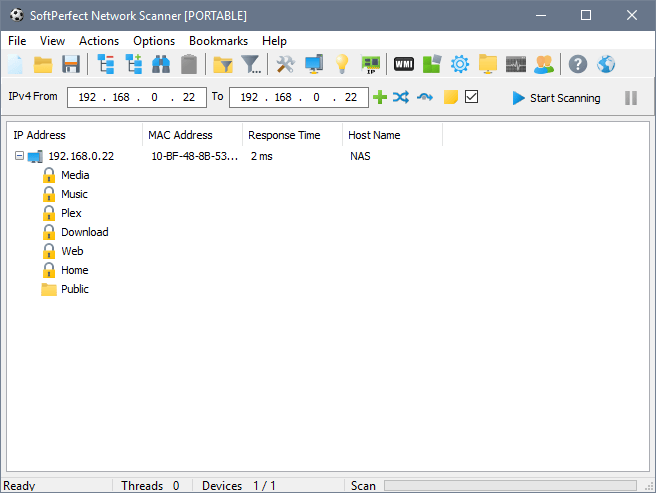
After I click 'save results', the file shows all shared resources (locked and unlocked). I would like to be able to see unlocked resources only. Otherwise I cannot use the saved Excel file independently and I have to look at the NetScanner each time.
Thank you very much.
It sounds like you are using an old version of Network Scanner.
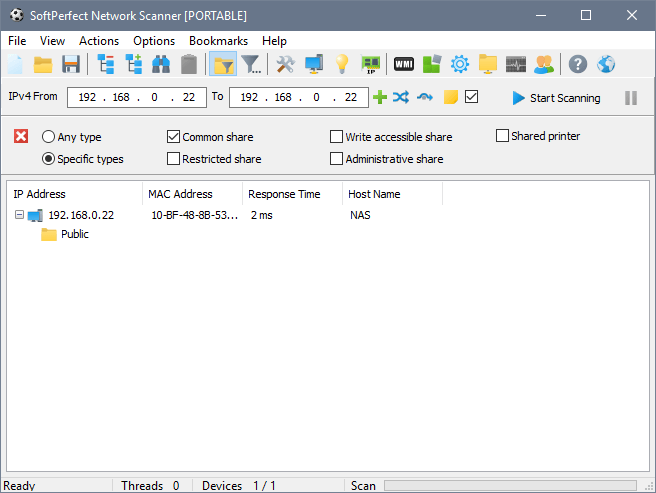
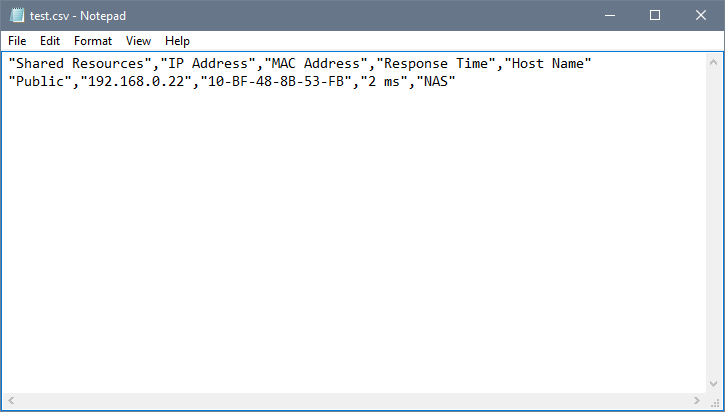
In the latest version, it is possible to filter out the share types you want via View - Quick Host Filter - Shared Folders in the main menu. This way you can have only common (unprotected) shared folders displayed. After that, you can save the filtered results to a file, and only those shares will be included.
1. All discovered shares:
2. Filter applied, showing common shares only:
3. Exported file, only filtered shares are included:
Thank you very much. I will try it.