Retrieve monitor or display information
4 posts · Closed
Good morning,
I am testing SoftPerfect Network Scanner software, and I would like to know if this application can retrieve information about the monitor/screen/display that the equipment is connected to, what information it provides, and whether I can later save it to a CSV or Excel.
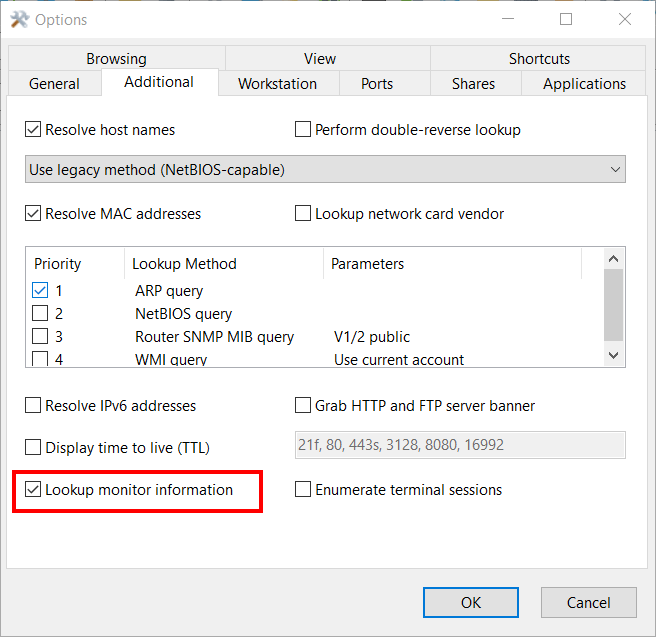
You can extract information about connected monitors by enabling the Lookup monitor information option at the Additional tab in Options:
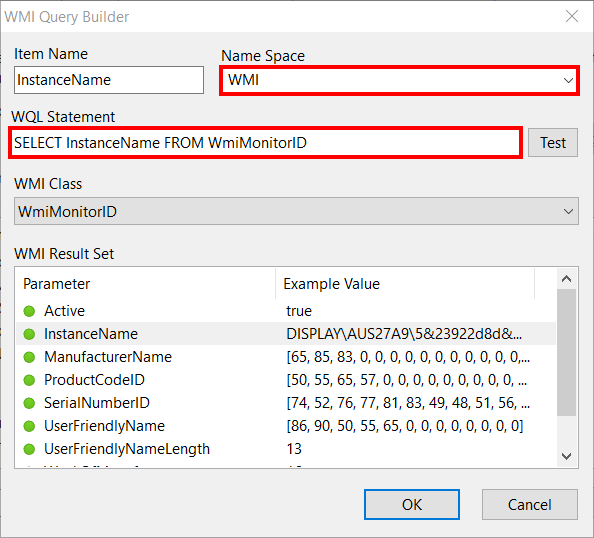
Alternatively, monitor information can be extracted from the WmiMonitorID class in the WMI namespace, in WMI Query Builder:
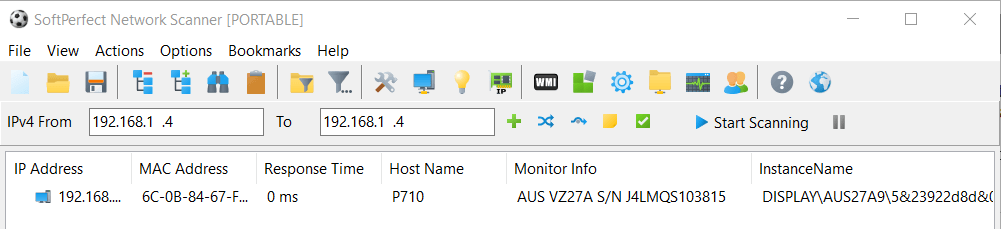
This is a sample output:
I tried that, but I get "The RPC server is unavailable" in the Monitor Info column. Could you help me?
Thanks
It could be the firewall or WMI settings, but for some reason the client computer can't connect to the target WMI system. Here is a troubleshooting guidance for "WMI - the RPC server is unavailable".