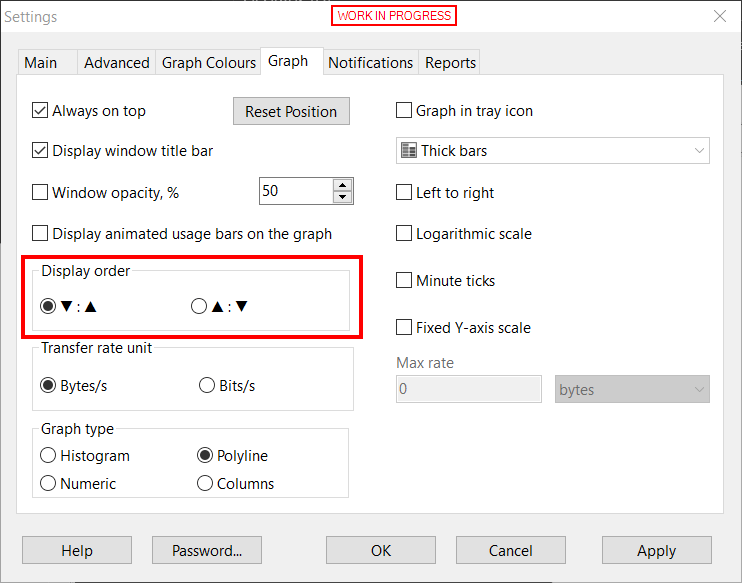
Reverse upload and download order in deskband
2 posts · Closed
NetGenius is a much newer product in which we implemented a more intuitive design: the upload speed is above (meaning "up" and going away) while the download speed is below (meaning "down" and coming towards).
NetWorx was created 20 years ago, so its interface may appear less intuitive. The download speed was placed above the upload because normally its values are much higher. We can't just swap these numbers without breaking the experience for existing users who might have been using the application for many years.
Instead, we made the new builds that support a hidden setting that allows you to swap the speeds if you wish.
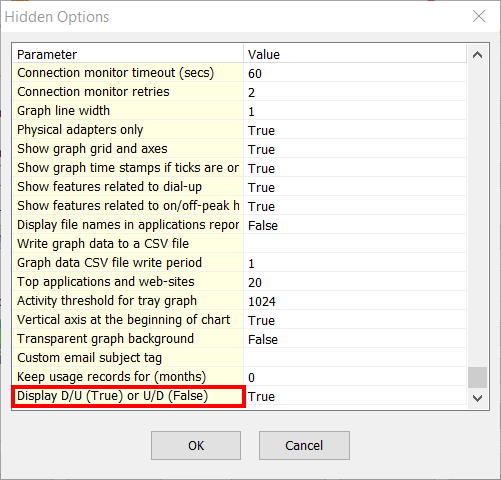
Later this year there will be a new release of NetWorx where this will be a regular setting, not a hidden one: