Error when starting version 7 for the first time
11 posts · Closed
Hello
When I install version 7, I get the following error right the first time I start it:
SQL error or missing database: attached databases must use the same test encoding as main database
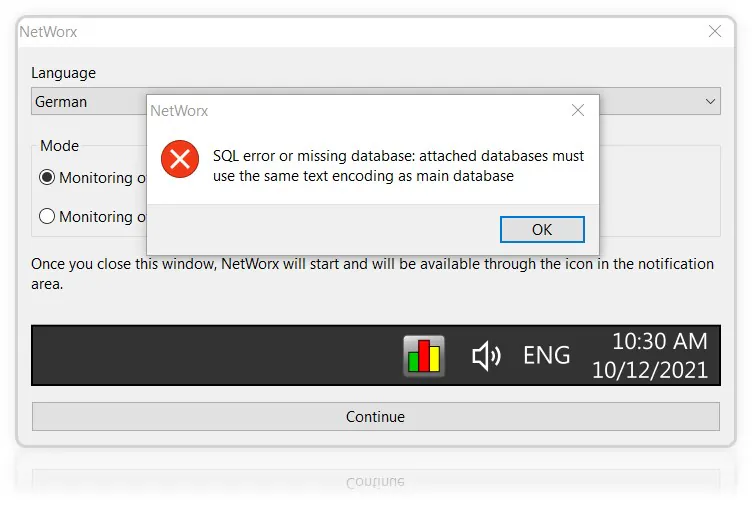
This error means somehow the data conversion from version 6 to version 7 did not go to plan. You can simply continue using version 7 without the old data.
Alternatively, if you'd like us to investigate this issue, please compress the contents of C:\ProgramData\SoftPerfect\NetWorx to a ZIP file and upload it here.
Thank you. I can't upload my zip-file. Because the file size is 49 MB.
I have the same problem.
My ZIP-File is18.2 MB and can't be sent. I made another compressions to RAR (14.5 MB) und 7z (11.1 MB) and could send it to SoftPerfect.
I hope, I get back a conversion to db3.
Thanks guys, we have found what was causing this.
Some really old NetWorx databases were creating using UTF-16 text encoding, while the newer ones use UTF-8 for compactness. The current conversion routine can't handle two databases in different encodings, but we will get this fixed shortly. Your data will be saved (except for the per-application usage breakdown).
We have just fixed the database conversion routine and now it should handle very old NetWorx databases as well. Please do the following:
- Download a fresh copy of NetWorx.
- Install it over your current installation and reboot if asked.
- To initiate the conversion, quit NetWorx after it starts.
- From C:\ProgramData\SoftPerfect\NetWorx delete all the files that have the DB3 extension, including DB3-SHM and DB3-WAL.
- Start NetWorx again. It will create a new database and perform the conversion from DB to DB3.
Yea, thank you very much. Now the conversion has worked. But the size difference is 1:100. Can this be possible?
Not all data are imported. In particular, when converting usage records, it will not convert per-application usage breakdown. Usually this information takes most of the space, that's why the size became much smaller.
If you enabled application tracking in the welcome dialog of version 7, it will be recorded from then on.
OK. Thank you very much. One last question: How can I back up NetWorx's settings?
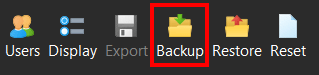
In both version 6 and version 7 the Backup button under Usage Reports will back up the entire database, including all settings and usage records.
Thank you so much.