Histogram in tray icon looks like a line graph
5 posts · Closed
Hi again.
In Settings > Graph > Graph in tray icon (as per attached screenshot), I have selected Histogram. But it looks more like a line graph instead of a histogram (you'll need to zoom in to see this anomaly clearer). I tried changing it to 'Thick Bars' and 'Thin Bars', and these two types of graphs work great.
In the older versions, the histogram in the tray icon was a true histogram.
Am I missing something in the config?
Thank you for your help.
Regards,
Salim
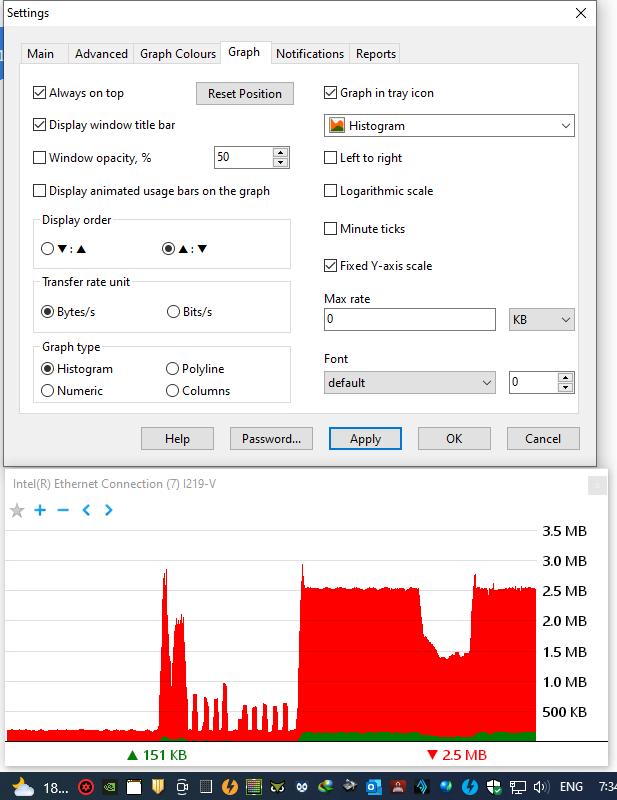
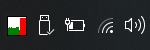
Thanks for pointing this out. There was indeed a line graph in the notification icon rather than a histogram.
We have just corrected this and if you download the latest build it should now look like this:
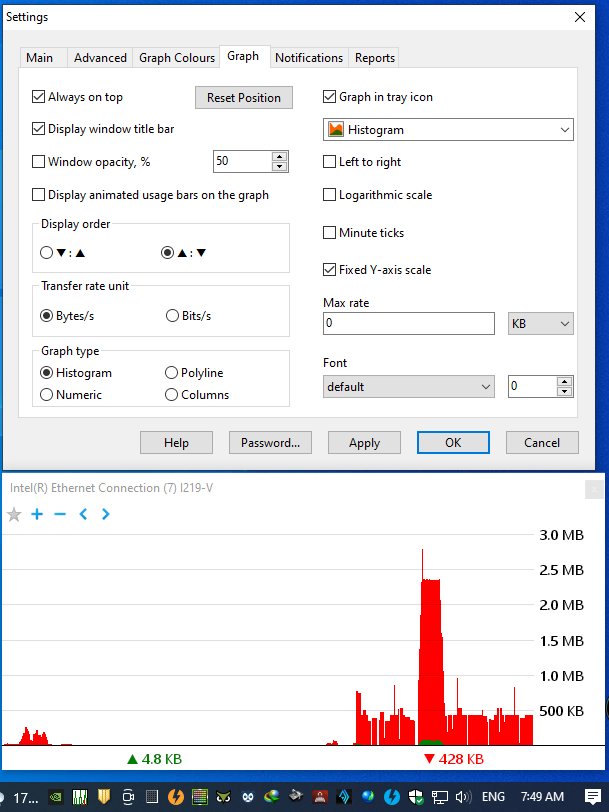
Thank you Andrew. I downloaded the latest build, installed it, and rebooted the PC, but the problem is still here. Please see the screenshot attached, done a few seconds ago.
I have just checked and the web-site has the correct file. It could be that you mistakenly installed an older download from your Downloads folder, or your Internet connection is behind a proxy server that gave you an older cached build.
Please try downloading using this direct link and installing it over again.
You were right Andrew. I downloaded it again and everything is perfect now.
Huge thanks again (tu)