Speed Graph covered by Quick Launch toolbar
12 posts · Closed
I have the Quick Launch toolbar enabled on the taskbar. When there are activities performed on the taskbar, like clicking on "show hidden icons" or if there are some icons blinking, the Speed Graph (v7.0.3) is periodically covered (overlayed) by the Quick Launch toolbar.
Please refer to the images below for details (the fps of the GIFs in the attachments are not high enough to reflect every blink of the icon, but they are enough to present the issue).



Sorry, this doesn't seem reproducible, as you can see below:
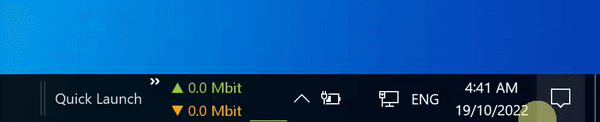
It is possible that in your case the issue is caused by the animation and other effects that you have in your taskbar.
Also, we have recently fixed a couple of things with the taskbar graph. Please try the latest build as it might work better for you.
:-?
It's strange. I've already used the latest official one when I run it on Windows 10(22h2 19045.2130). Now I re-downloaded both the official and the pre-release (the timestamp of the official one is newer than the pre-release one).
Tested on another Windows 11 laptop(21h2 22000.1098), and the result is:

Am I doing something wrong?
In Windows 11 the taskbar layout is quite different to that of Windows 10.
Sometimes the NetWorx graph may overlap the taskbar buttons, but changing the taskbar alignment to the Left should make it better:
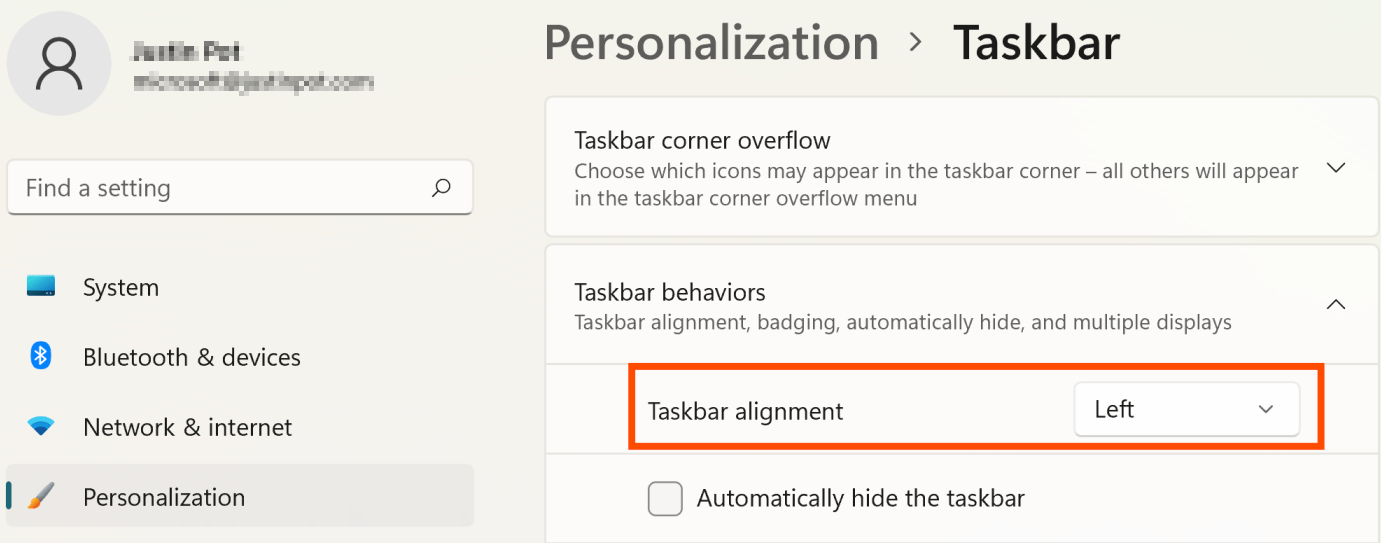
Also tried it, but the problem is that if I have a couple of apps opened, the icons span the entire taskbar (because the resolution of the monitor of the laptop isn't high), resulting in the speed graph covering several icons. This issue can be avoided by installing 3rd party app StartAllBack, but the blinking issue appears after installing it just like on Windows 10.
Again, I tried it on two Windows 10 machines, the blinking issue occurs on both machines. So I really don't know what's going on.
As mentioned before, it is possibly because you have animated taskbar background. In your attached pictures, one has a smoke-like animation on the right, and another one has a pearl floating around the middle.
As far as I know it is not a standard Windows functionality, so maybe there is a third-party app that is contributing to the flicker?
Yes, that's Wallpaper Engine that has animated wallpapers. But actually, I've exited it and uninstalled StartIsBack and tested it before I report it, and this issue is also present.


And another Windows 10 machine I tested doesn't have either of these 2 apps installed. Don't recall there're any other pieces of software that interfere with the taskbar. So, pretty weird. :-?
Sorry once again, we can't reproduce this on a clean system.
It looks like you have numerous apps placing their icons on the taskbar, so it's likely that one of them is interfering.
If you really want to get to the bottom of this, I would recommend starting from a clean Windows installation, may be in a virtual machine. Then add the same apps one by one until you get the taskbar to flicker, so we will know what is causing it.
Otherwise, you may simply deactivate the taskbar graph and use the notification area icon instead.
I found it's highly relevant to the number of icons in the system tray, and maybe the blinking is just the cause of how many icons are in the system tray.
With about 7 icons in the tray (hidden), there's almost no visible flickering (still sporadically some) when one icon is blinking in the tray by design. But when rapidly clicking the "Show hidden icons" button, the issue gets more severe.

And when there are only 2~3 icons (except the system ones), it becomes very hard to reproduce the issue (I didn't record it). So I guess on a freshly installed system, it's next to impossible to reproduce.
The new implementation in 7.0.3 may have certain technical limitations to cause this maybe? Because 7.0.2 and prior don't suffer from this.
Thank you for the additional info.
In NetWorx version 7.0.3 the taskbar was reimplemented in a different way to support Windows 11. Since Microsoft removed taskbar customisation in Windows 11, we had to find a new way to embed the graph within the taskbar.
Previously we were using Microsoft's IDeskBand interface, but with the arrival of Windows 11 that's no longer possible. So we have reimplemented the taskbar graph as a separate window embedded in the taskbar directly.
We will test it with a larger number of tray icons early next week and see if we can fix the flicker.
We have improved the taskbar flicker with a large number of icons. Please try the new build and let us know how it works for you.
Great. It's working well now.
Thx!!!