Taskbar display speed unit does not switch automatically
6 posts · Closed
Hello Team,
I have been using NetWorx 5.5.5 version for a long time. But after the Windows 11 upgrade, I moved to the latest release and am thinking of buying this software. I have one query:
When I choose the Display speed in the Taskbar option, the unit stays in Mbit or MB. It does not switch automatically from KB to MB, and back to KB if the internet is not used to its capacity, like it used to be in the prior release. Is there a way to have that kind of behaviour in the latest version?
Yes, there is a setting for that. It can be accessed by opening the regular NetWorx Settings window and then pressing Ctrl+O (that's letter "O", not zero) while that window is open and active. This will open the Hidden Settings dialog where you can fine-tune NetWorx further.
The setting you need to change is called Display format. It can have values 0, 1, 2, or 3. They set the speed units as follows:
- 0 for automatic
- 1 for kilobits/kilobytes
- 2 for megabits/megabytes
- 3 for gigabits/gigabytes
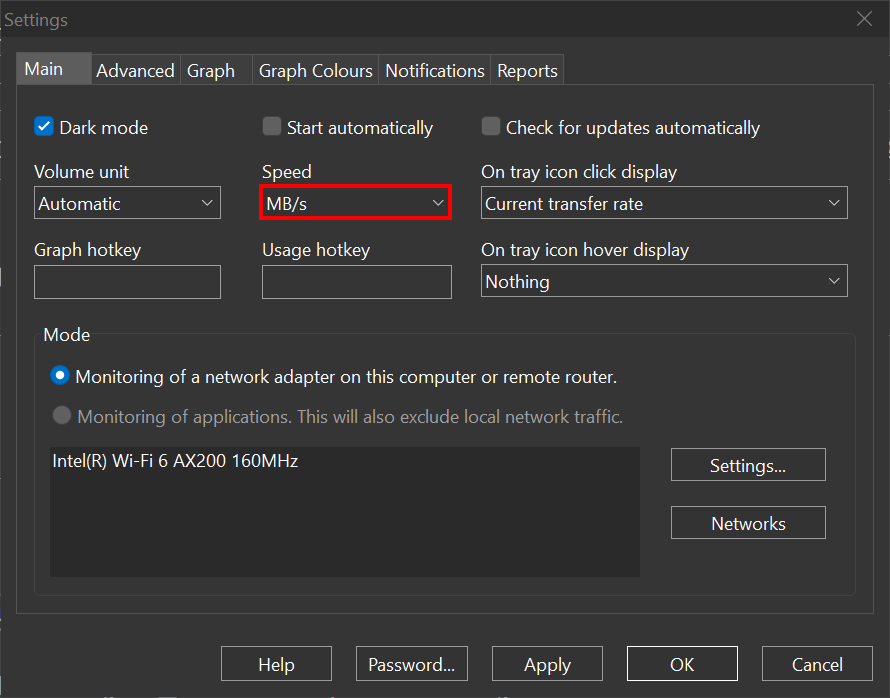
Update: in version 7.1.1 this option became available in the ordinary Settings - Main tab - Speed setting.
Oh so awesome. Thanks very much. I was looking exactly for that. :)
Hi
Is there a way to change it to MB\s?
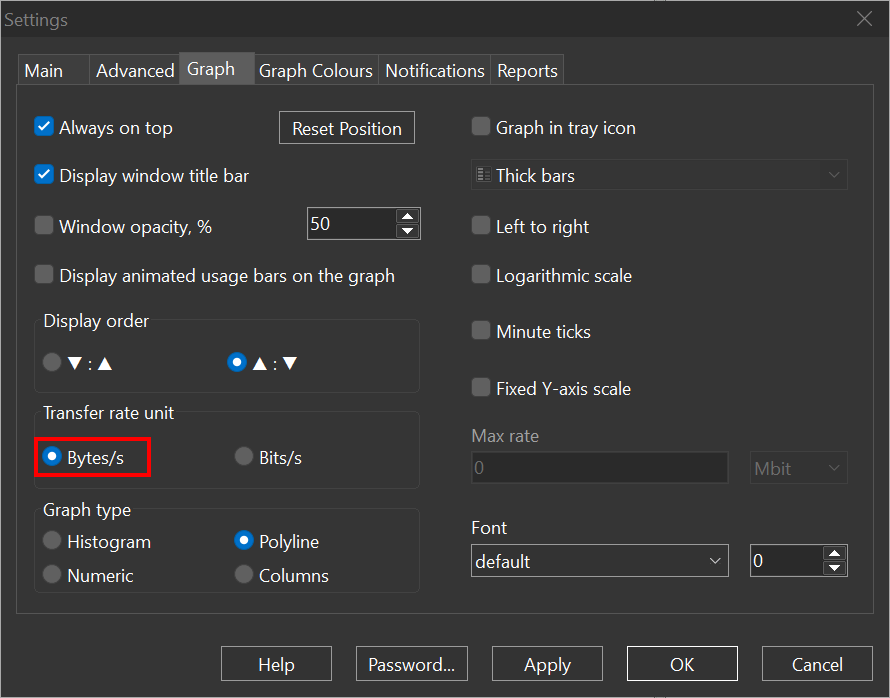
Yes. First, change Settings - Graph - Transfer Rate Unit to Bytes/s:
Then reopen the Settings and change Settings - Main - Speed to MB/s:
Thank you so much!