Taskbar speed display overlaps with icons on Windows 11
3 posts · Closed
On Windows 11, the taskbar speed display can overlap with icons when many programs are open. This happens in 22H2 and is more likely to happen in the 23H2 beta that allows for taskbar icon ungrouping. I'm wondering if there is a solution for this or a pre-release build with a workaround or fix.
Thanks!
This unfortunately cannot be fixed as Microsoft have removed taskbar customization in Windows 11. However, you can set the taskbar to be aligned to the left, which will add extra space for programs and the speed display:
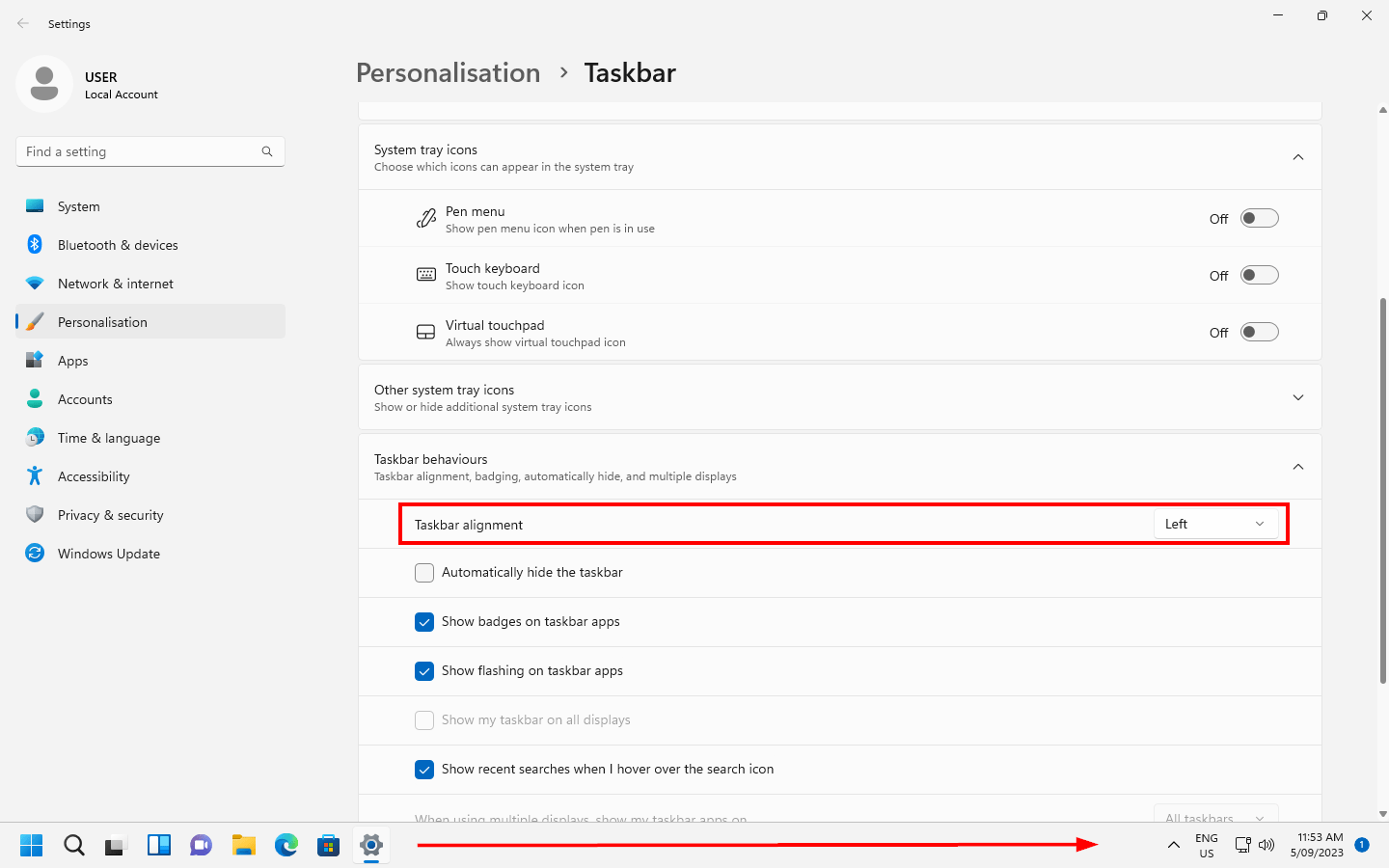
Thanks for the fast reply!! I was doing that already, just curious if there was a workaround. Fortunately with the system tray icon I can easily disable the taskbar display if it becomes an issue. You may want to consider adding a keyboard shortcut to toggle the taskbar window in a future release to make this easier.