Summing up total network flow across multiple adapters
2 posts · Closed
Denny Guest
Upon the first launch, NetWorx displays a welcome dialog where the user can choose the language and the monitoring mode that better suits their needs:
- monitor a local network adapter or a network interface on the router (this option will not let you see what apps are using your connection), or
- monitor network apps on your computer and disregard any local traffic (this option is not available in the portable package).
The user can change the initial selection in the settings later.
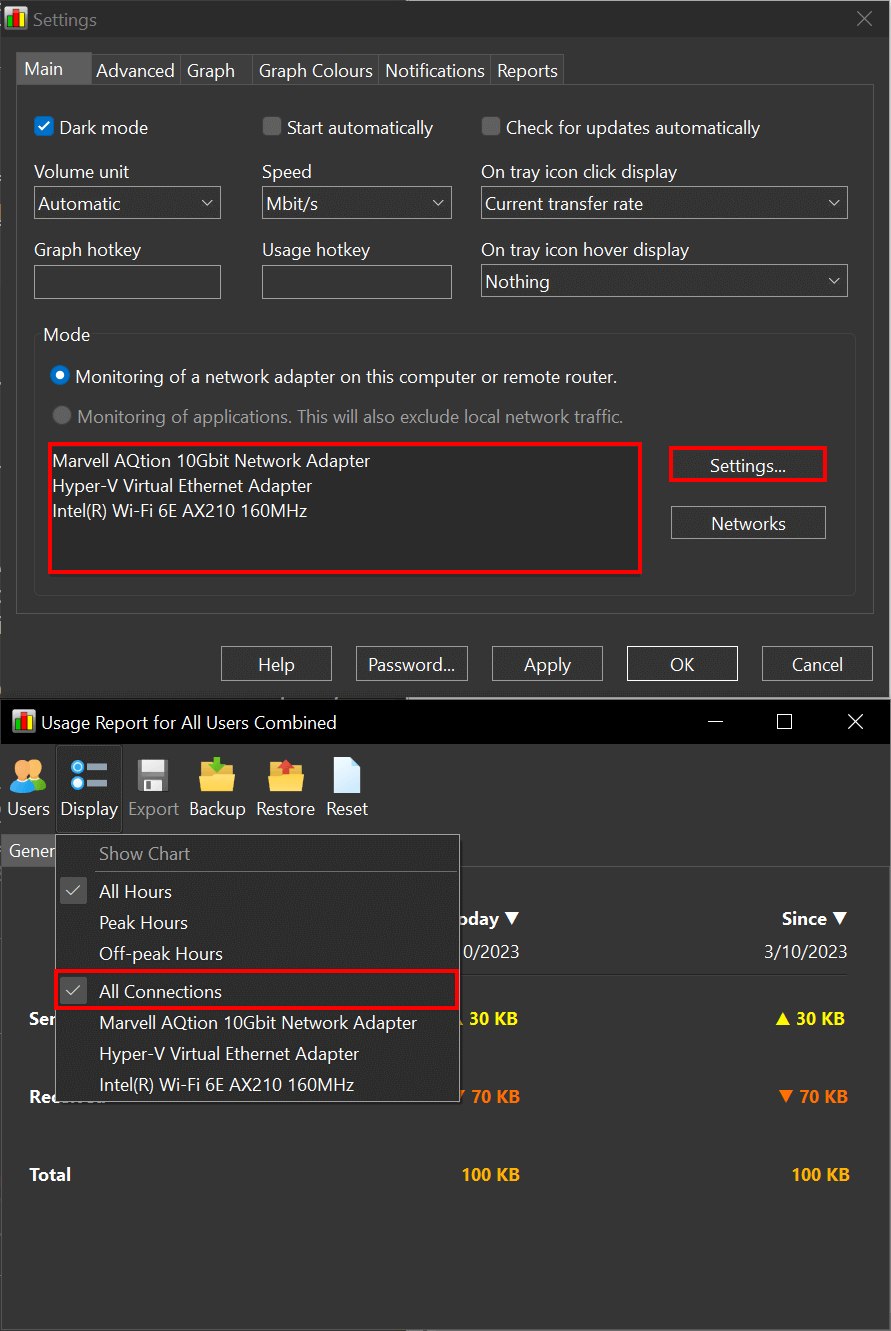
If the server is equipped with multiple network adapters, how can I sum up the whole network flow of the server for a day, week, and month?
Ann SoftPerfect
It's quite easy: simply add the adapters you want to monitor under Mode - Settings... on the Main tab in Settings. By default any usage report includes data from all adapters, but you can also choose a specific one if you wish.
This topic is closed.
It has had no new posts for over a year, so the software versions it talks about may be out of date.
Start a new topic in NetWorx if you have a similar question.