Enable router monitoring for pfSense firewall
4 posts · Closed
I recently put a pfSense firewall between my router and my cable modem. My router is now in AP mode, so it is just forwarding traffic to the firewall and the firewall is acting as a router.
My question is: what do I need to enable in the firewall so that I can see it listed in router monitoring?
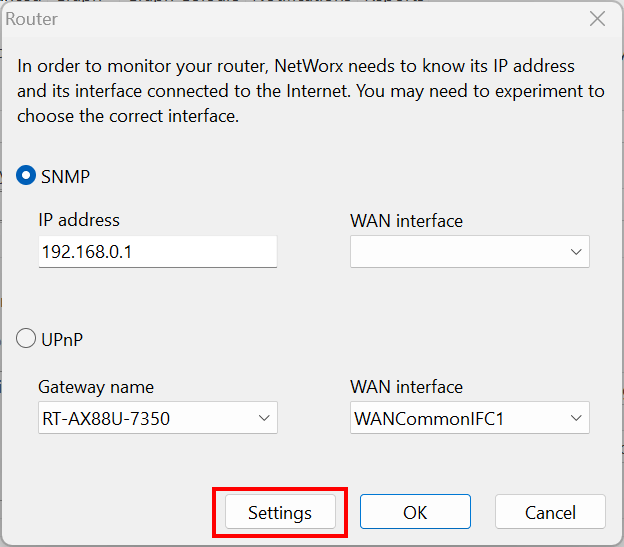
In SNMP, it has the IP address listed, but nothing in the drop-down list for WAN interface. If I change to UPnP, the firewall is not listed in the Gateway Name drop-down list.
You would need to enable SNMP in pfSense.
If you leave the default 'public' connection string, then it should work right away. Otherwise, you will need to access the Settings are in NetWorx as shown below and match those details with the ones in pfSense.
That is exactly what I was looking for. Thanks for the help.
I did notice that after changing the connection string, the data did not get saved. I clicked the test button and it showed me the correct information for the pfSense device. I clicked OK and started adding the interfaces. None of the interfaces were showing data in the graphs. I went back into router settings and the connection string was set back to 'public'.
After realizing the issue, I changed the connection string in pfSense, added all of the interfaces again, and was able to see the traffic. I am good with things in the current state, but I did want to share the bug that I found.
It's great that you've got everything working fine now.
Thank you for the detailed description. We will check if there is a bug indeed.