Changing the Speed Meter server connection
2 posts · Closed
Is there a way to have NetWorx change the Speed Meter server connection?
For example, when I am connected to a VPN (installed on a router) and running a speedtest, it shows the server connection and the results. However, if I turn the VPN off and reopen the speedtest, it shows as still connected to the previous server. If I quit and restart NetWorx and open the speedtest again, it shows a different, non-VPN server. It is not a huge deal to close and reopen NetWorx. It would be simpler if I could do this within the app, but again, not a big deal. Maybe something for a future update?
Also, sometimes the speedtest Start arrow button is grayed out and no server is selected. To get the Start button enabled again, I had to restart my laptop.
Thank you for your feedback.
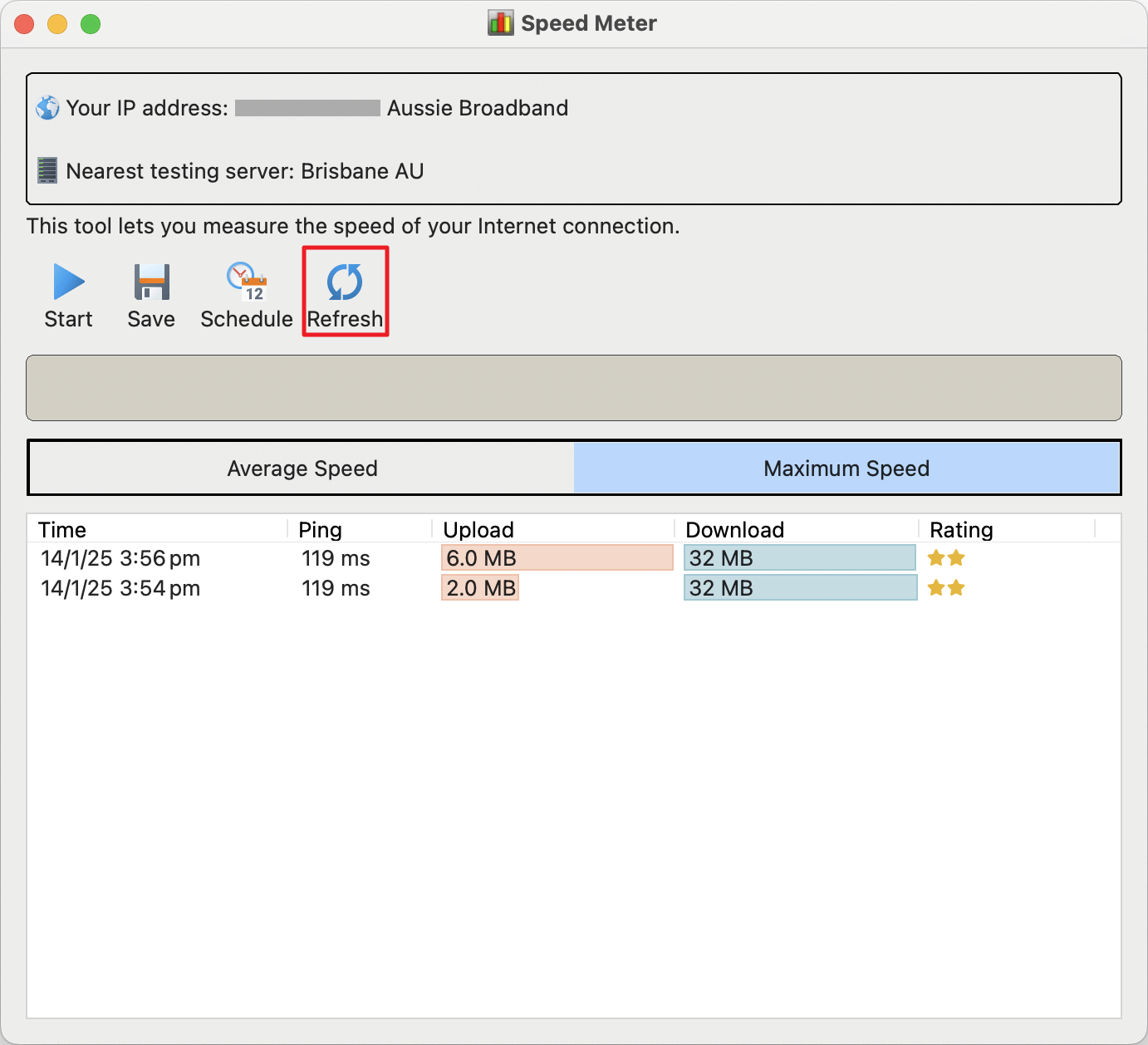
We've added a Refresh button to the Speed Meter window, allowing you to update the IP address and server without restarting NetWorx. Additionally, if there is a connection issue preventing the Start button from being available, an error message will be displayed, and you will have the option to retry by clicking Refresh.
Please download the latest build to try this new feature.