Taskbar blinks and becomes inoperable after launch
4 posts · Closed
NetWorx looks like the perfect app. But immediately after launch, my taskbar starts blinking and becomes inoperable. Is there a way to disable the taskbar monitoring widget before startup?
That's quite unusual, as our taskbar widget has been extensively tested on Windows 10 and 11, and most issues have been resolved in the latest version. The widget is enabled by default because Windows often hides new notification area icons, which can make it difficult for some users to locate NetWorx after it starts running.
That said, there is a way to manually disable the widget before startup. For the installed version, please download this file and then follow these steps:
- Close all running networx.exe processes via Task Manager.
- Extract the attached file to a temporary folder.
- Run the disable.bat file to modify the configuration.
- Start NetWorx normally.
If you are using the portable NetWorx version, you will need to adjust the path to its database in the downloaded BAT file according to the location where you placed your portable NetWorx application.
That worked great.
Real-time graphing of network activity is even better than I expected. It allows me to analyze what is really happening for testing maximum throughput on my home network, both wired and wireless.
For future enhancements: I'd like to have the ability to clear graph screen and the ability to change the update interval (it looks like about 1 second fixed now).
Thx for fantastic support and a great product!
Dave
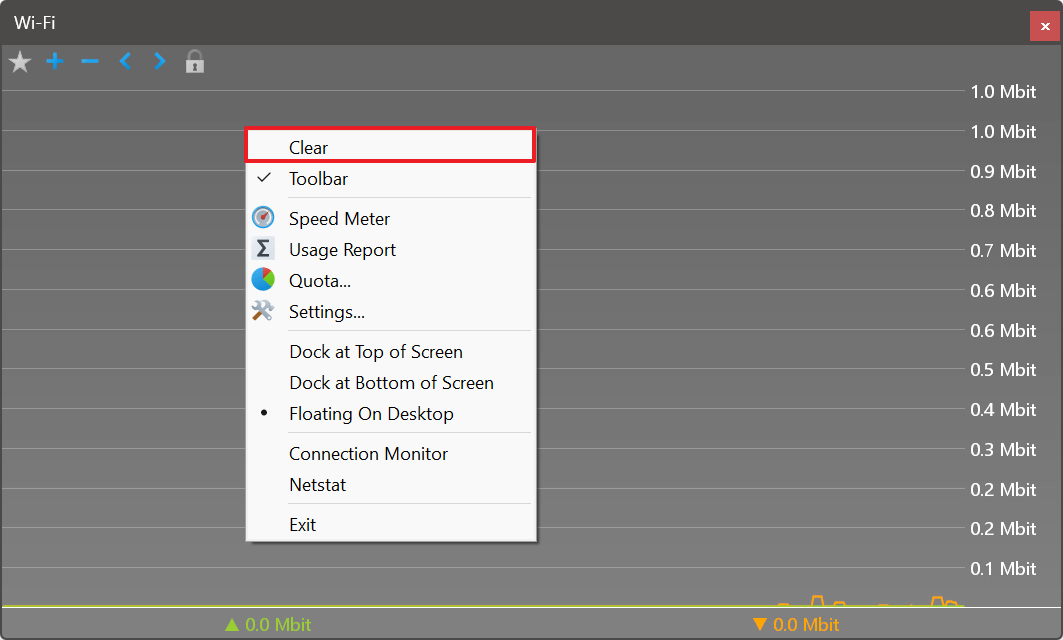
We are glad to hear that everything is now working well for you. And thank you for the suggestion. In the latest build, we have added the ability to clear the graph screen. It is the Clear menu item, accessible via the graph's popup menu:
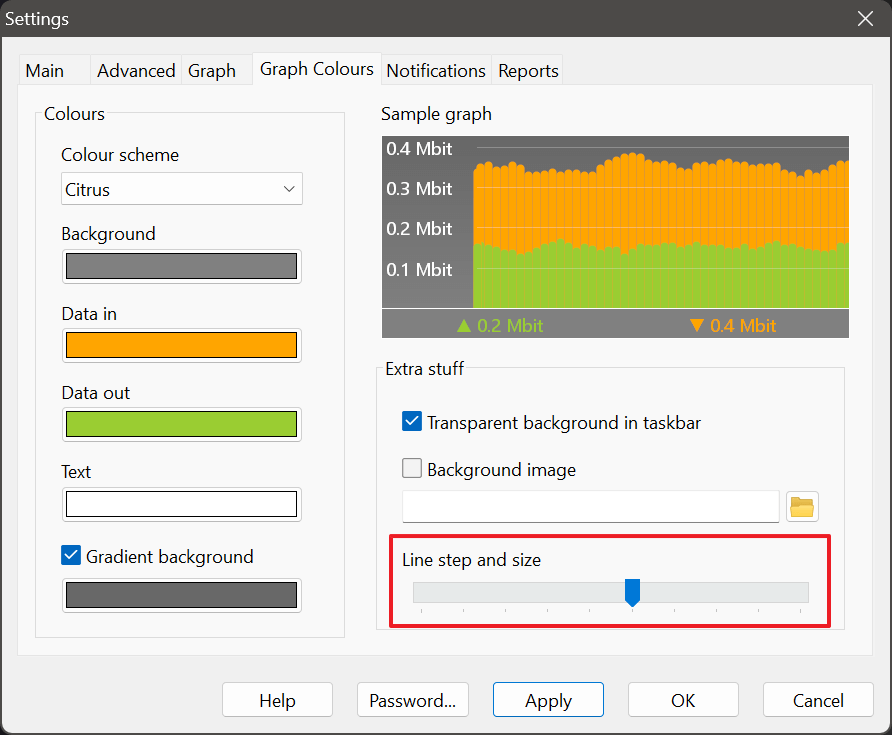
Regarding the update interval, it is fixed at 1 second to ensure accurate speed readings, as they reflect data transferred per second. However, you can make the graph appear to update more frequently by adjusting the Line step and size parameter on the Graph Colours tab in NetWorx Settings: