Scheduled ping not working as expected
2 posts · Closed
Good morning Team,
I'm an IT technician and I'm using NetWorx.
I would like to better understand how the scheduled ping works, because if I enable the flag and put a time of X minutes, it seems to do nothing. Manual ping works correctly.
Basically, I would like to install NetWorx on the PCs of my clients so that I can monitor the network speed, and then email myself a file with the results of the monitoring. I saw in the settings the ability to send reports via email, but I can't find the results of the scheduled tests.
So I wanted to know whether I don't see it because I chose incorrect settings, or because the tests are done and saved in the background.
Thanks for your help,
Alex
Scheduled speed tests work the same way as manual tests, but are run automatically at the intervals you specify (e.g. every X minutes). As they do not show a popup or results immediately, it may seem like nothing is happening, but the tests are performed silently in the background and the results are saved.
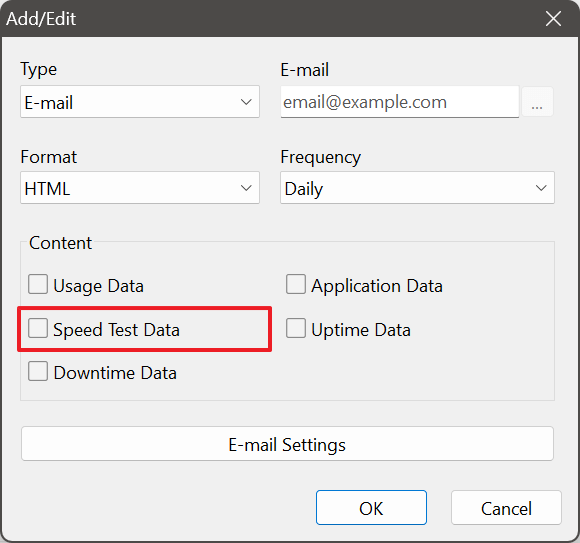
Up until now, automatic reports included only usage data. Following your feedback, we have expanded the available options. You can now include speed test data in your scheduled reports, as well as several other types of data.
To use this feature, please download the latest build, then go to NetWorx Settings - Reports tab, and tick Speed Test Data in the report configuration dialog. After that you will start receiving speed test results at the frequency you selected for the emails.