Cannot remove graph controls
4 posts
The main reason I won't upgrade past v6.2.10, which works perfectly well (on my system, at least), is one cannot remove the graph controls (the buttons at the top of the graph window). If there was a setting to hide or remove them, then v25.12 would be a perfectly good replacement.
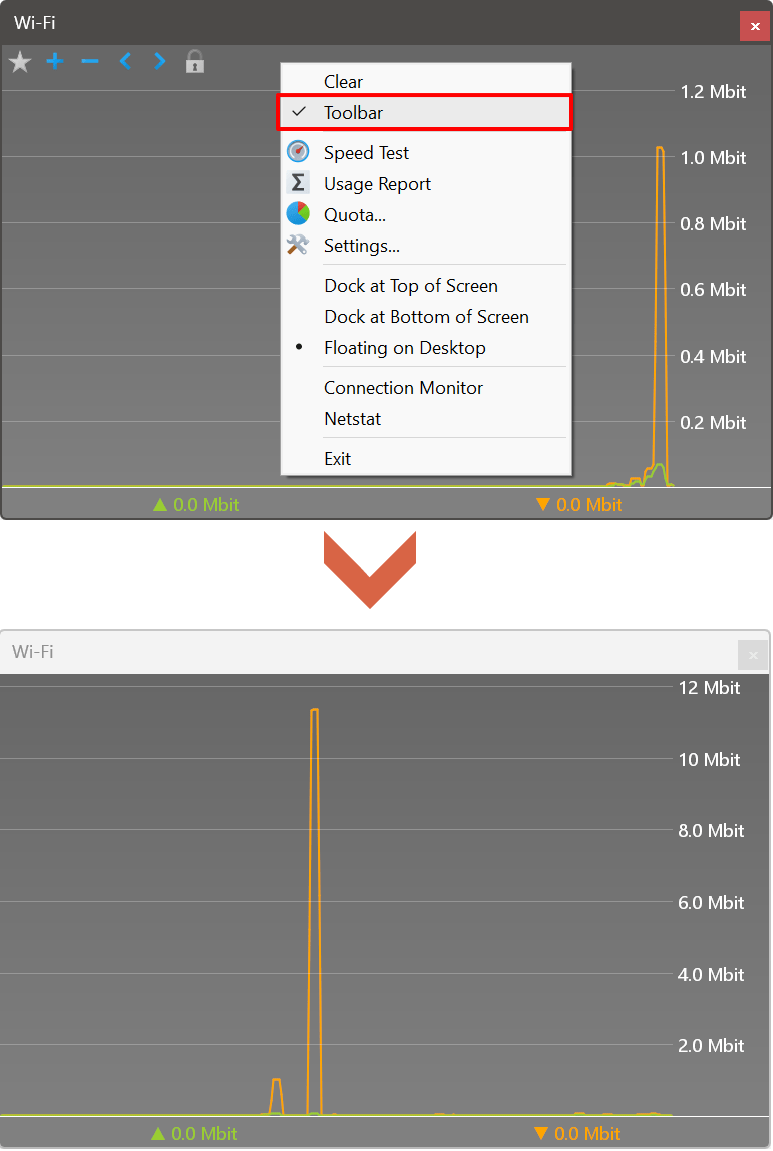
Assuming you're referring to the buttons along the top edge of the graph, you can absolutely hide those controls in v25.12. Right-click anywhere on the graph itself and select Toolbar from the context menu to toggle it off.
This will remove the button bar completely, giving you the clean interface you prefer:
Thank you very much Andrew. I didn't search for that setting, so I wasn't aware of it. Case solved.
In 25.12, I'm wondering why the tray icon pop-up with upload and download figures is so wide. It is possible to make it only as wide as needed by the text?
Also, would it be possible to have a separate graph colour for overlapping upload and downloads?
We had to make certain compromises with the UI design and spacing as the app now runs cross-platform on Windows, macOS, and Linux with nearly identical functionality.
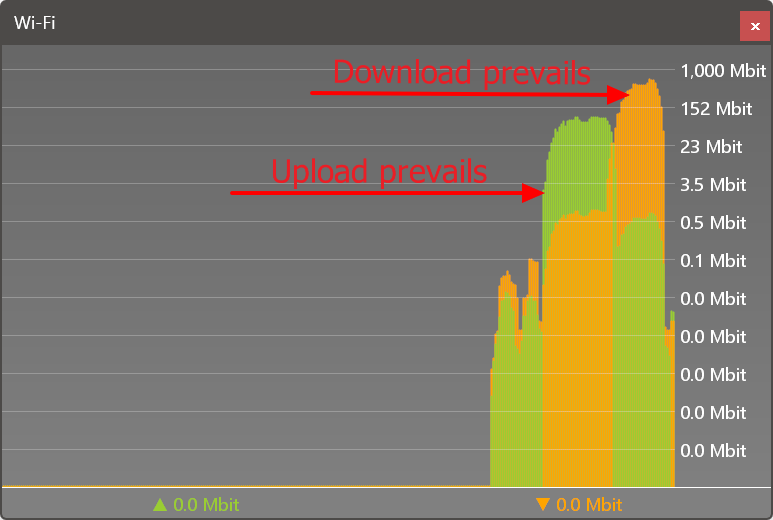
We didn't implement a special colour for overlapping upload and download traffic because it wasn't practical—in the current implementation, both upload and download remain clearly visible: