Feature requests for SNMP monitoring improvements
3 posts
Hi SoftPerfect Team,
I am a heavy user of NetWorx and rely heavily on it to monitor multiple high-capacity router interfaces via SNMP (I have attached a screenshot of my current dashboard for reference).
While the software works great, I would like to suggest two feature improvements that would significantly refine the SNMP monitoring experience for network administrators:
- Saveable SNMP Connection Credentials:
It would be extremely helpful to have the ability to save SNMP connection credentials (such as private keys, community strings, and user profiles) within the application. This would streamline the process of connecting to multiple routers, avoiding the need to manually re-enter these details every time a new device or connection is added. - Editable Interface Records:
Currently, if a physical interface changes on a router (or if its SNMP index changes), updating the existing monitoring setup is quite rigid. It would be highly beneficial if we could simply edit the properties of an already registered interface record to point it to the new interface. This would prevent the need to delete and recreate graphs from scratch, preserving the dashboard layout and setup.
Thank you for developing such a great tool and for considering these feature requests.
Best regards,
Lucas
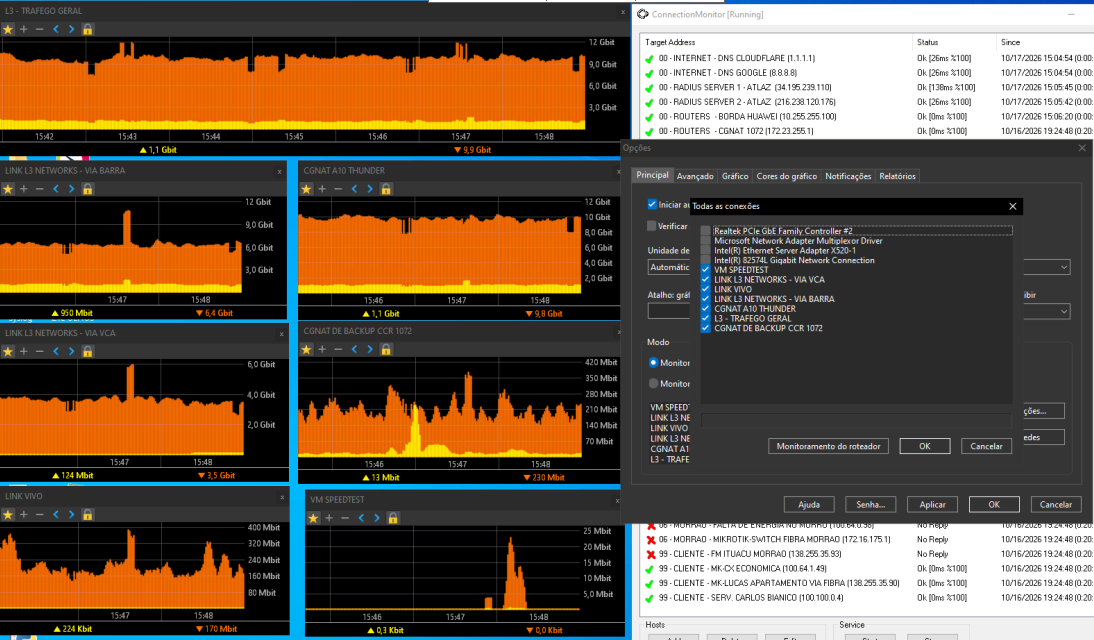
Thanks Lucas! Both suggestions made a lot of sense, so we've added them, and a newer build is already in snapshots:
- SNMP credentials are remembered. Router Monitoring now opens on the router you added last, with its credentials already filled in and its interfaces listed, so adding another port on the same router is just picking it and clicking OK. Typing the address of another router you already monitor brings in that router's credentials instead.
- Router interfaces can be edited. In the All Connections window, right-click a router interface and choose Edit to point it at a different interface, address or credentials. Its usage history and the graph position and settings stay as they are, and so does a name you gave it.
One thing worth knowing: NetWorx identifies a router interface by its name (ifDescr), not by its SNMP index, so if the router renumbers its interfaces, the existing graph follows by itself. Edit is for when the traffic actually moves to another port or the port gets renamed.