High number of SNMP packets sent during polling
2 posts · Closed
I just noticed that when NetWorx polls my router via SNMP (interface vlan2), it's sending 16 SNMP packets to the router.
The SNMPD service on my router seems to be a bit of a CPU hog, and 16 SNMP packets every second cause it to use up to 5% of my router's CPU constantly.
I lowered the NetWorx router poll frequency from 1000ms to 5000ms because of this, but I'd like to go back to 1000ms because the graph is somewhat more useful that way.
I am looking into upgrading the router firmware, but I don't understand why NetWorx is sending so many SNMP requests. Is there a way to control this? Is it a bug, or a limitation of SNMP? Is NetWorx polling all available router interfaces instead of just the one selected?
NetWorx polls all available interfaces to retrieve ifDescr, ifInOctets and ifOutOctets for each interface. The reason behind this is that the monitored interface is known by its name, so we need to go through all the names to find the correct one and its readings.
If this stresses the router too much, a better approach may be to use SNMPv2c or SNMPv3, if supported by the router. The newer versions of SNMP support so-called bulk requests and we can retrieve everything we need in just a few packets. This can be configured in the Hidden Options.
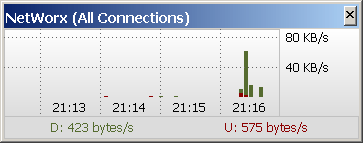
If that's not available, another workaround might be to set the poll interval to 5000ms and then configure NetWorx to interpolate the data. To try the interpolation, go to the NetWorx's Settings - Graph - Graph Type and set it to Columns. After that, open the hidden options and set Mean Samples to 5. Then it should interpolate data from each last 5 seconds as shown below: