Add option for zero opacity graph background color
5 posts · Closed
Wondering if you would consider adding one more option to the myriad of options available for the graph background color: none (essentially zero opacity)?
I am developing a panel in the lower right of my secondary screen to monitor my system's status, and being able to not show the graph's background will allow for a slightly more homogeneous look. Here is a link to a picture showing the current status of the panel.
I understand this to be exceedingly low priority, but it never hurts to ask. :)
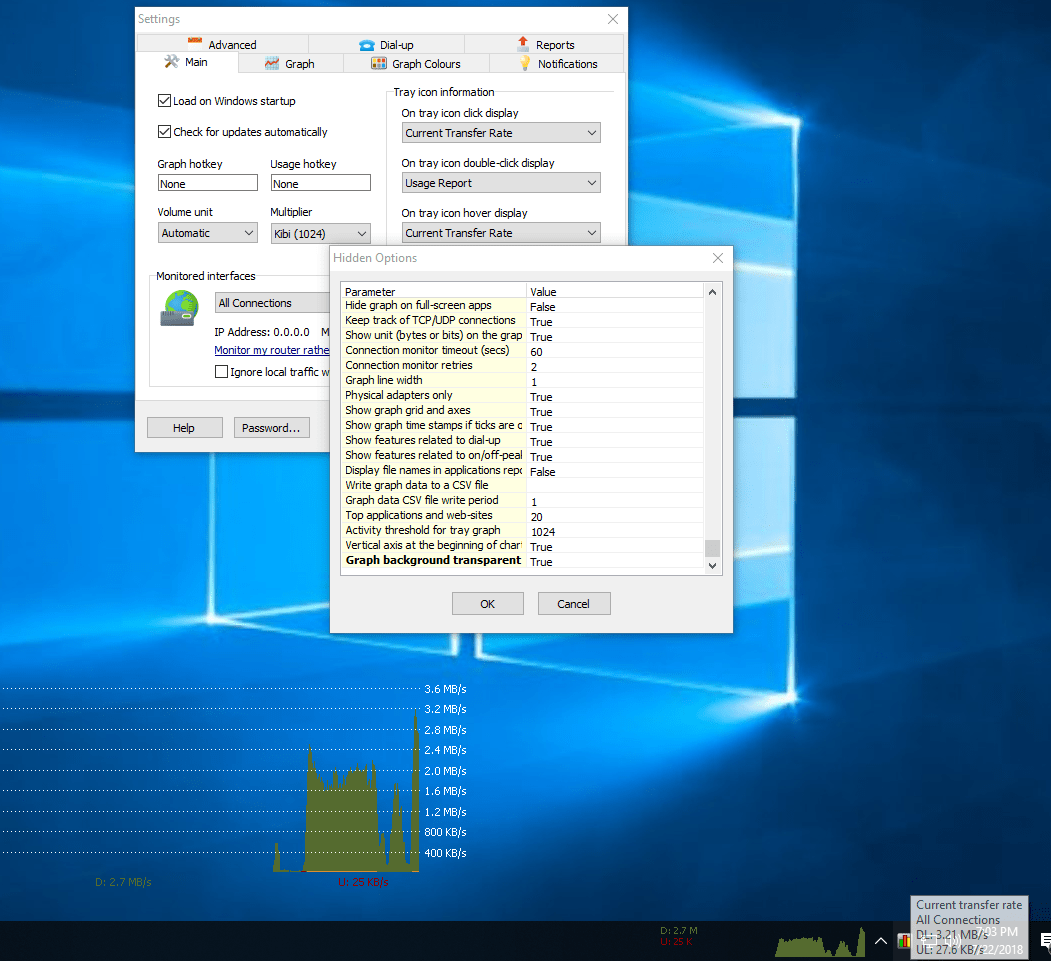
That's a good idea, but we've implemented it a bit differently. There is a new setting Graph background transparent added in the Hidden Settings. The latest preliminary build with this setting can be downloaded here.
When enabled, the current background color will be rendered as transparent. Any graph lines or text of the same colour will be also treated this way. So you can, for example, set background colour and frame colour to the same value to make the frame transparent too.
Here is an example with this option turned on:
Wonderful, thank you.
Though it does look a little naked without the X/Y axis bars.
With the frame removed the Y axis is gone and I guess you never intended for an X axis to show.
One question, is there a config/.ini file I can save to reload the current layout?
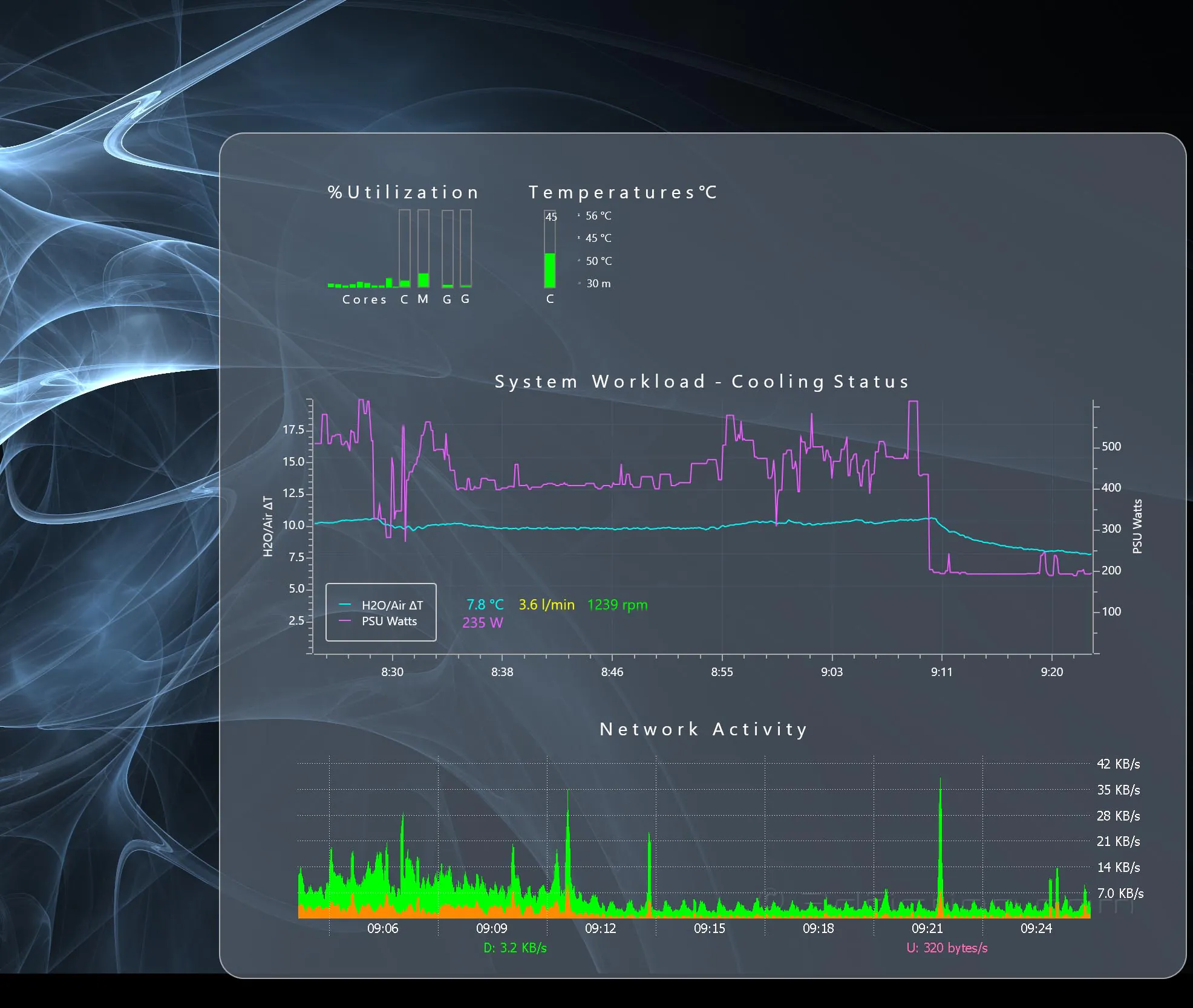

That's right the Y-axis is part of the frame and the X-axis doesn't really exist. It looks great in your setup anyway!
Regarding saving the config, everything including the settings and usage is kept in a database. It can be backed up and restored via Usage Report - Backup.
Andrew wrote:
Regarding saving the config, everything including the settings and usage is kept in a database. It can be backed up and restored via Usage Report - Backup.
It appears the X/Y location on the desktop is not saved in the backup database.
At least it did not reposition the graph with a restore I performed.
Is the desktop positioning recoverable?