NetWorx icon missing from taskbar after reinstallation
4 posts · Closed
I uninstalled NetWorx on my machine, and then went to reinstall it again, but now it won't show up in the top bar. When I go to open the application, it just says that I have used 24 of my 30 day trial, and then I click to continue using it and that pop-up goes away, but NetWorx is nowhere to be found even though it is running when I check the system monitoring processes.
Any recommendations on how to get it back in the top bar?
Highly considering switching my current network monitoring tool because NetWorx will do what I need much better, but I have one more test I want to run so need it working.
Which version of Ubuntu are you using?
18.04 Lts
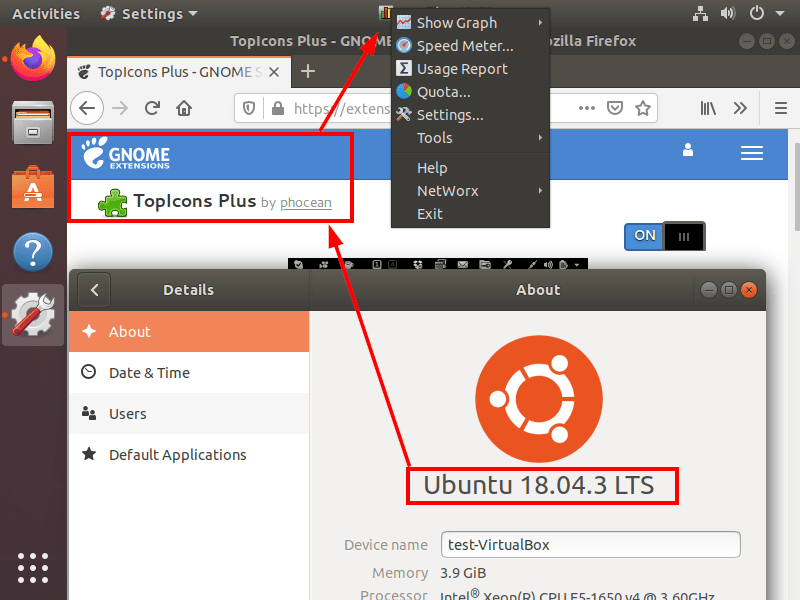
It should work if you install the GNOME's TopIcons Plus extension. I was able to get the icon showing like this: