Strange persistent segment in system tray
5 posts · Closed
Hi
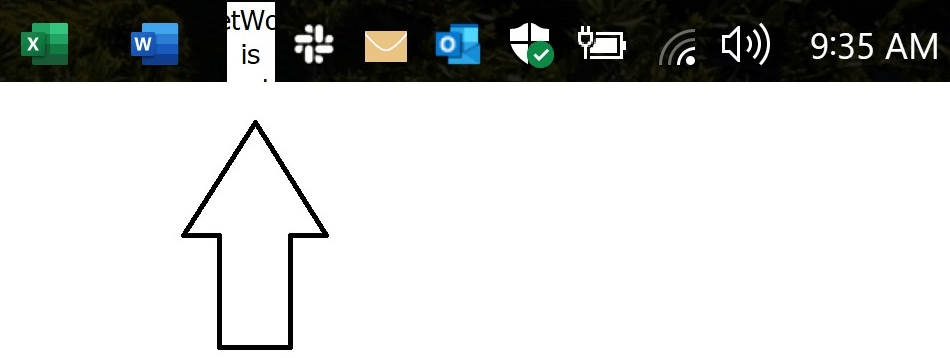
I've just installed NetWorx to monitor my traffic. It added a strange segment to my system tray that's always on, and cannot be selected or removed, even when I don't run NetWorx. Please tell me how to get rid of this area which looks like a disabled icon:
Thank you,
Alex
This segment is a taskbar extension that is supposed to look like this:

The reason it shows incorrectly for you is that NetWorx is not running and its size is too small.
To turn the taskbar extension off, right-click an empty space on the task bar and choose Toolbars - NetWorx Desk Band.
If you want to resize it instead, untick Lock the taskbar menu item, resize the taskbar extension, and then lock the taskbar again.
Thank you Andrew, that took the taskbar extension off. What's strange is that it stays there even when Networx is not running.
That's just how taskbar extensions work. They are implemented as a separate DLL file that is loaded and managed by Windows Explorer. Running or not running NetWorx has no effect on its presence; but when NetWorx is not running, it does not receive the data and stays blank.
Great. Thank you for your generous explanations.
Have a great day.