Application Usage report differs between WiFi and LAN
2 posts · Closed
Hi,
Why does the Application Usage report show different application items between the WiFi connection and LAN connection?
I use LAN for stability and am not using WiFi anymore, but I want to keep track of application network usage. The general usage report does not have any problem; it shows correct traffic usage. I attached a screenshot comparing WiFi and LAN.
Thanks
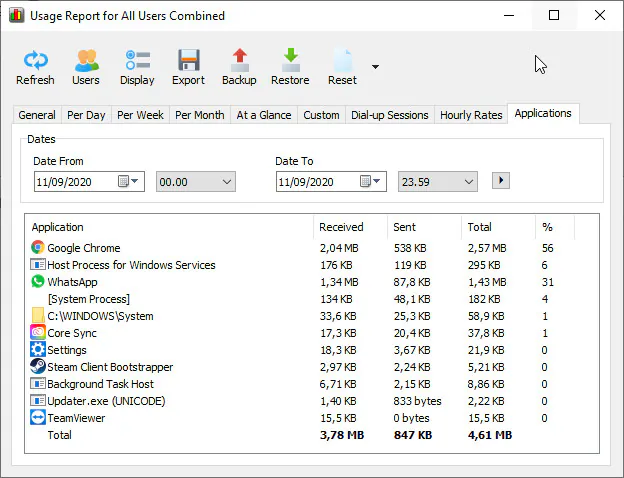
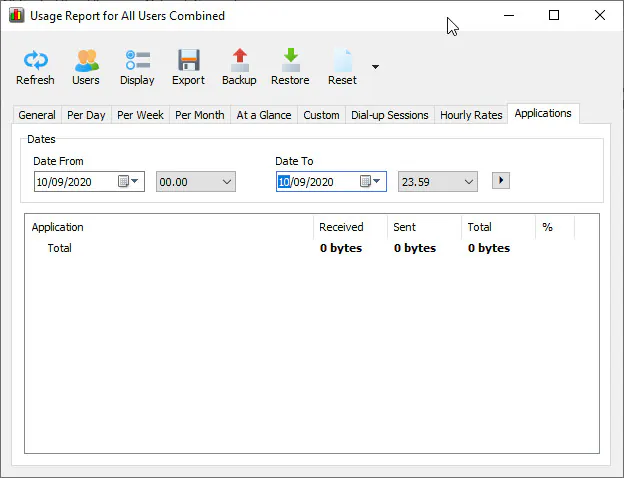
I am not sure what you mean by the separate screen shots named 'wifi' and 'lan'. The Applications usage reports are complied for each application regardless of the network interface in use.
This is because applications are monitored at a higher level in the networking stack. So you can't choose between WiFi and wired connection when monitoring applications. That is why when you enable the Ignore local traffic within the LAN option (which is required for monitoring applications), the choice of network interface becomes unavailable.
The difference in the reports in your screenshots is most likely because you chose different dates in them. One is for 10/09/2020, and the other is for 11/09/2020.