Interpreting upload speed figures in Speed Meter
4 posts · Closed
I have a question about the figures I see in the Speed Meter. Officially, my provider delivers the speeds of 500 Megabit/s download and 40 Megabit/s upload.
However, NetWorx Speed Meter shows (and has been for weeks) the download speed of 426 Mbit/s (which looks correct), and the upload speed of 60-95 Mbit/s.
How should I be interpreting these upload figures?
It is likely that the traffic shaper your ISP is using allows short bursts, i.e. when the maximum rate can exceed the limit for ~1 second.
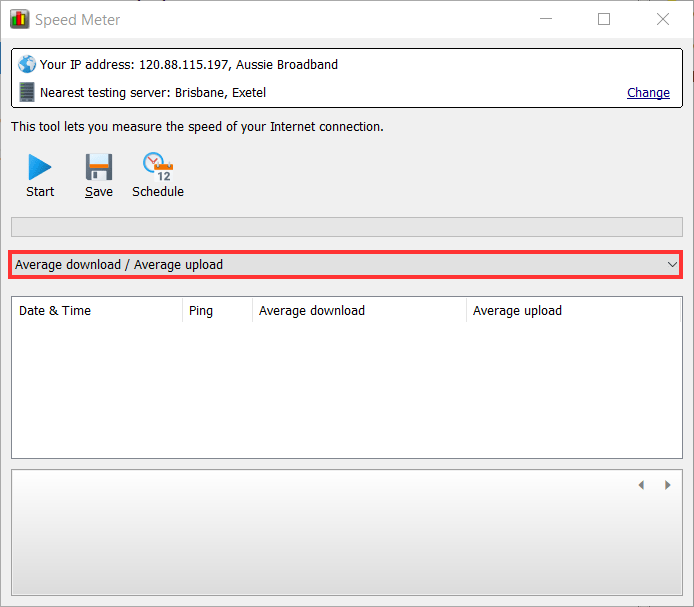
Try displaying the average figures instead, as shown below. This will give you a more realistic picture of what your connection can achieve for downloads:
Thanks! The solution worked, average result: 406 / 38.6
What influence do these short burst have?
Those bursts don't have much significance, it's just that when you start downloading something, the maximum speed can exceed your ISP's limit for a second or so.
In prolonged use, you will not see any difference. But if you measure the speed at the moment of one of those bursts, you can see a significantly higher figure. That is why average numbers give you more realistic information.