Client MAC and IP addresses show (multiple)
3 posts · Closed
Jeff Guest
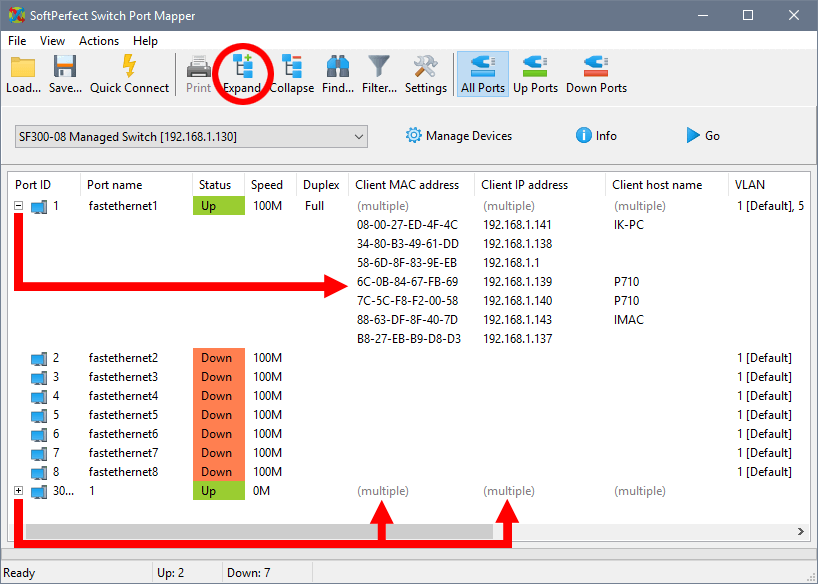
Everything seems to work fine, except in the columns with Client MAC address and Client IP address the word (multiple) shows instead of addresses.
I really need to see all the MAC addresses associated with a certain port; it's the whole reason why I purchased the software. Is there a way to see all the MAC addresses instead of the word (multiple)?
Ann SoftPerfect
Simply click the [+] button on the left side of those rows. Or click the Expand button in the toolbar above. It will unfold the full lists of IP and MAC addresses.
Consequently, clicking the [-] or Collapse will fold the lists back into one row. It's a tree-like structure, for convenience:
Jeff Guest
Oooohh, I'm so stupid... thank you so much for your help!
This topic is closed.
It has had no new posts for over a year, so the software versions it talks about may be out of date.
Start a new topic in Switch Port Mapper if you have a similar question.